uMap/Guide/Export data of a layer

Recommendation: Save the map information before a download action to ensure the latest information.
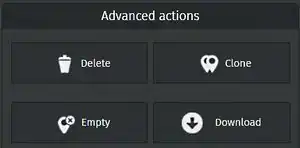
Recipe for downloading layer properties:
- Enter edit mode by

- Select on the right side Manage layers

- Select button Edit layer for the layer to be modified.

- Expand Advanced actions and click Download
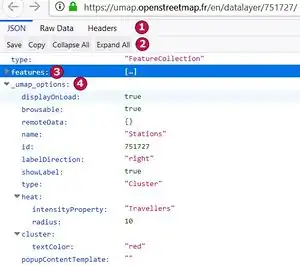
The system opens a new browser window with the information of the layer.
Details of the download window:
- The first line shows tabs to show the available information types.
- The second line depends on the selected option in line 1.
- Option JSON shows:
- Save : Save to a plain text file.
- Copy : Copy the text to the clipboard
- Collapse All and Expand All influence the displayed information (everything is downloaded)
- Option Raw data shows:
- Save : Save to a plain text file.
- Copy : Copy the text to the clipboard
- Pretty print influences the indentation of the displayed information (everything is downloaded)
- Option JSON shows:
- The line marked 3 is collapsed in this example. Expansion shows all markers, lines and polygons of the layer
- The line marked 4 shows uMap information for this layer e.g.:
- The name and type of the layer
- Display properties for the layer
- Display properties for inheritance by features.