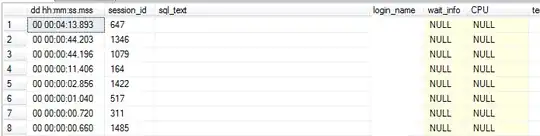
sp_reset_connection is an artifact of using Connection Pooling. And what you think you are seeing is not what is actually happening.
Connection Pooling is a feature of the client library more than of SQL Server. The client provides most of the functionality, while SQL Server itself mainly provides sp_reset_connection. When using Connection Pooling, the client driver does not actually close the physical connection to SQL Server when the app code calls the "close connection" method. Instead, the driver keeps the connection open and will link it to the next "open connection" request that uses the exact same connection string (and from the same Windows account, if using a Trusted Connection / Integrated Security). Now, because the connection was never closed, SQL Server knows only that the client is keeping the connection open, but not why. And because the connection is remaining open, the session still exists with whatever resources and settings were in place as of the last command / batch executed. This is why temporary tables created in the main scope (i.e. not in a stored procedure) will continue to exist (for details, please see: Sessions, Temporary Objects, and the Afterlife), and open transaction will stay open.
SQL Server doesn't know that connection pooling is being used until the next command / batch is submitted, at which point it executes sp_reset_connection. It is sp_reset_connection that cleans up the prior state of the session so that it will be just like a brand new session, which is what the client code is expecting (with a few minor items that do not get cleaned up / reset).
Of course, that description is based on the newer drivers. As the quote in the question states, older drivers sent a separate request for sp_reset_connection. The fact that you are seeing sessions that have no currently executing request (i.e. CPU is NULL) is expected when using Connection Pooling. What is not typical is seeing sp_reset_connection via DBCC INPUTBUFFER. This is not typical since the newer drivers request sp_reset_connection upon submitting the first batch / command upon reconnecting, so you would never see sp_reset_connection since it will never be the last thing to execute (though you can see it using SQL Server Profiler or Extended Events). But, if you are seeing it using DBCC INPUTBUFFER (which will continue to show the last command / batch executed, even after the batch completes), then that would appear to match the behavior of the older drivers (assuming that the older drives, because they are not sending a flag along with the next command / batch, are requesting sp_reset_connection upon "close connection" requests).
Either way, sp_reset_connection is not currently running. And the reason that the requests are all for the master DB is most likely do to master being the default Database for the Login(s) being used.