2

I am using Ubuntu release 14.04, MySQL 14.14 Distrib 5.5.43.

To reset the MySQL root password, as described in the official MySQL doc How to reset the root password, I need to stop the MySQL server.

Using htop before killing the server, I see the following related processes: enter image description here
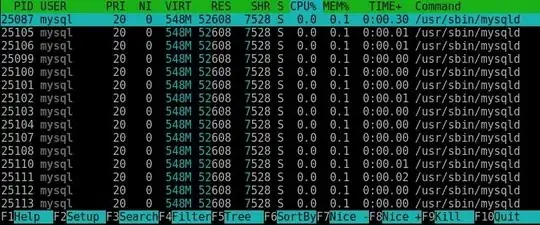
Then, as indicated, I stop the MySQL server with the following command: kill $(cat /var/run/mysqld/mysqld.pid).

But, a few seconds later, all associated processes are automatically restarted under different PIDs: enter image description here
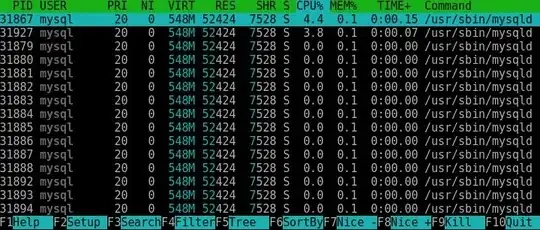
How can I stop the server without it restarting new processes each time ?

Paul White
  • 94,921
  • 30
  • 437
  • 687
Sébastien Clément
  • 1,825
  • 3
  • 19
  • 28

2 Answers2

1

Try stopping the mysql server, instead of killing the process:

sudo /etc/init.d/mysql stop
1

You may not be aware of this, but the MySQL service is designed to be restarted automatically.

There is a program called mysqld_safe. Its job is to do the following:

  • STEP 01 : start mysqld
  • STEP 02 : check return value of mysqld
  • STEP 03 : If return value is zero, mysqld_safe terminates normally
  • STEP 04 : mysqld is restarted due to abnormal termination of mysqld
  • STEP 05 : If restart is successfully, go to STEP 02
  • STEP 06 : Terminate mysqld_safe since mysqld could not be restarted

Killing mysqld only makes mysqld_safe do its job.

I have written about this before : mysqld_safe version different than mysqld?

SUGGESTION : Kill mysqld_safe first, then kill mysqld.

RolandoMySQLDBA
  • 185,223
  • 33
  • 326
  • 536