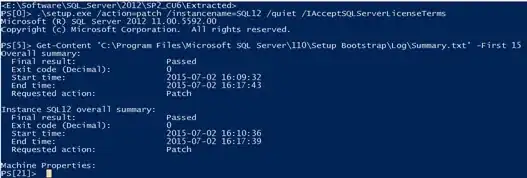
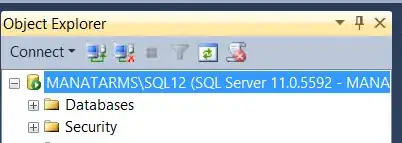
Unattended installation is the way to go - as @ShawnMelton mentioned. To deploy CU on 100's of servers, you can explore below options (test them, so you know what will work for you and your environment) :
Sysinternals - PsExec will allow you to spawn installation on remote machines.
PowerShell - Use remoting feature in PowerShell 3.0 and up to perform installation. e.g. Enter-PSSession -ComputerName <COMPUTERNAME>
Old is Gold - using .bat file. <== this definately works with SCCM since you can deploy .bat files to multiple servers using SCCM.
Below is a sample of installing SQL2008_SP2_and_CU_2k8_64bit (modify as per your needs). You can feed the bat file to SCCM so it can do a mass install.
REM starting SQL SP2 cu install.
"C:\temp\SQL2008_SP2_and_CU_2k8_64bit\CU\SQLServer2008-KB2467239-x64.exe" /allinstances /quiet
REM SQL SP2 cu install complete
REM optional   STEP to reboot your machine
REM Reboot the host before kicking off the install
shutdown.exe /r /f /c "DBA scheduled reboot" /t 30
As a side note (Caution !) :
I would never do this type of mass update to these many servers (100's) in one shot. Instead batch them up in manageable groups and then patch them in groups.
This way you can easily figure out if something goes wrong - e.g. if there is a bug in the CU you are installing, and it is fixed in a later CU or SP. Or installation wise also, if you are patching 100 servers in one shot and out of them 5 or 7 servers did not get properly patched, how are you going to figure that out ?
I manage more than 300+ servers in my company and I prefer to patch them in smaller batches on a weekly basis. SO you start with small number and once you gain confidence, you repeat the same.
EDIT:
Now dbatools has Update-DbaInstance that can perform installation of SQL Server Service Packs and Cumulative Updates on local and remote servers.