Just to complement the great answer by ho2use
I use this query below to find out where the backups are currently going to:
USE [msdb]
GO
SELECT  j.job_id,
    s.srvname,
    j.name,
    js.step_id,
    js.command,
    j.enabled
FROM    dbo.sysjobs j
JOIN    dbo.sysjobsteps js
    ON  js.job_id = j.job_id
JOIN    master.dbo.sysservers s
    ON  s.srvid = j.originating_server_id
WHERE   js.command LIKE N'%BACKUP%'

so in my case it will be:
EXECUTE [dbo].[DatabaseBackup]
@Databases = 'USER_DATABASES',
@Directory = N'\\homer\FullBackups\',
@BackupType = 'FULL',
@Verify = 'Y',
@CleanupTime = 72,
@CheckSum = 'Y',
@LogToTable = 'Y'
then doing the replacement:
USE msdb
GO
--do a backup of the table before the update
SELECT T.*
INTO dbo._BACKUP_OF_sysjobsteps_184413_4
FROM [dbo].[sysjobsteps] T

BEGIN TRAN T1
SELECT @@TRANCOUNT

UPDATE sysjobsteps SET command = REPLACE(command, '\\homer\FullBackups\', '\\homer\sys_vol\TS-SQLBackups')
--(14 rows affected)

COMMIT TRAN T1
SELECT @@TRANCOUNT
Now that the jobs point to the new folder, you must grant the new folder all the permissions that were previously granted to the old folder.
I have a powershell script that I often use for doing this.
this is to be run in powershell:
$Acl = Get-Acl "\homer\FullBackups"
Set-Acl "\homer\sys_vol\TS-SQLBackups" $Acl
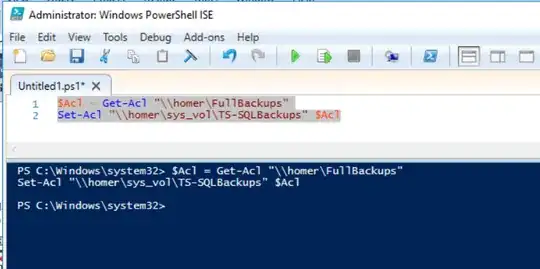
you might need to double check manually if the folder exists, and if you have all the required permissions
after that you could (on an appropriate time) check the full backup job
see if it runs successfully to the end
exec msdb.dbo.sp_start_job @job_name = 'DatabaseBackup - USER_DATABASES - FULL'


