You would need to change your query in an expression and concatenate the condition using the JOIN expression on your parameter values.
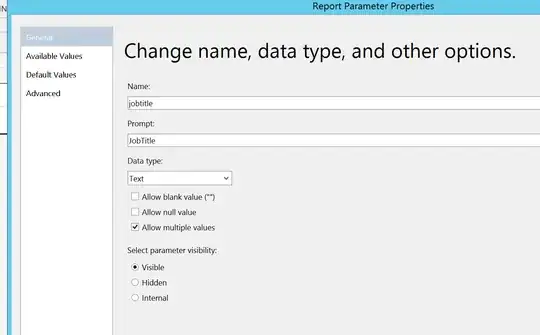
For instance, if you create a report based on the Adventureworks 2014 database you could add a parameter like this:
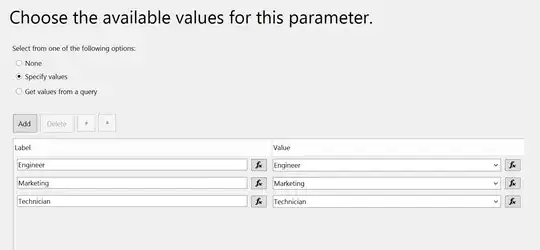
With some values that appear in the table:
If you then enter an expression for your dataset instead of a query like this:
="SELECT "
&     "[NationalIDNumber],"
&      "[JobTitle]"
&"FROM [AdventureWorks2014].[HumanResources].[Employee]"
&"WHERE [JobTitle] LIKE '%" & Join(Parameters!jobtitle.Label, "%' OR [JobTitle] LIKE '%") & "%'"
It would result in what you want when selecting a single value:
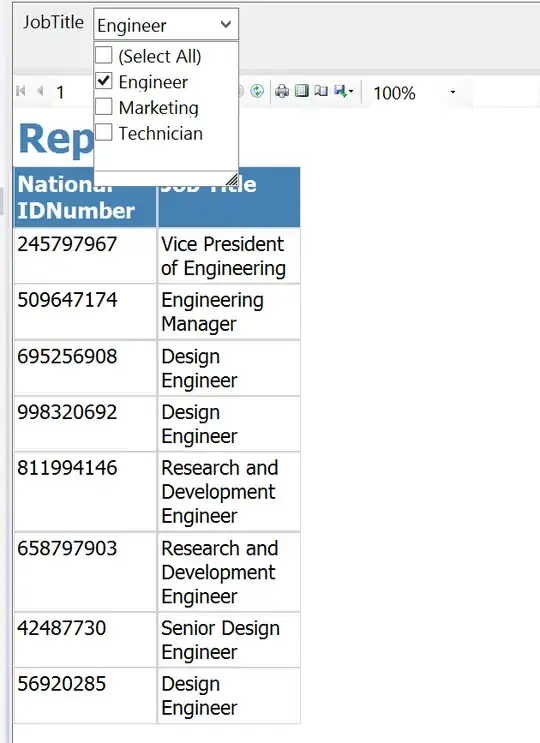
Because the concatenated expression is this:
SELECT [NationalIDNumber]
    ,[JobTitle]
FROM [AdventureWorks2014].[HumanResources].[Employee]
WHERE [JobTitle] LIKE '%Engineer%'
And it would also work when you select multiple values:
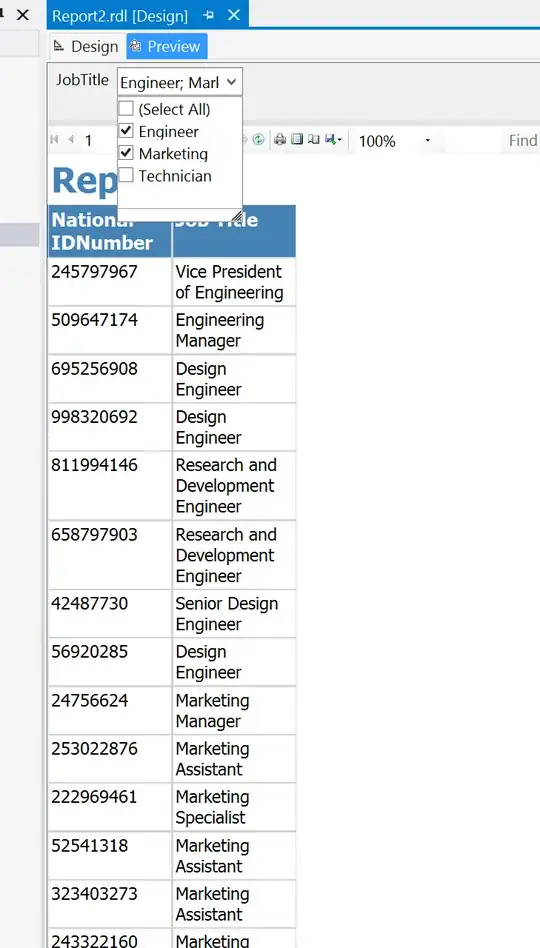
Because the expression would result in this:
SELECT [NationalIDNumber]
    ,[JobTitle]
FROM [AdventureWorks2014].[HumanResources].[Employee]
WHERE [JobTitle] LIKE '%Engineer%'
    OR [JobTitle] LIKE '%Marketing%'
Full .RDL file can be found on Github Gist and requires a local Adventureworks 2014 database.


