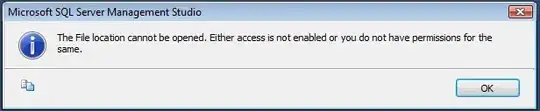
This could be related to KB4492899 - FIX: FileTable database level directory is inaccessible after database startup in SQL Server 2016 and 2017.
SQL Server 2014 (and possibly earlier additions) also appear to be affected and don't appear to have a fix, although the workaround should still work.
The given workaround requires all existing connections to be closed.
Here are the contents of the KB article, just in case the link is broken in the future:
Symptoms
During Microsoft SQL Server 2016 and 2017 startup, if a user tries to connect to a database before it is started, the user session may cause the database to be auto-started. When this occurs, if the database contains a FileTable and has FILESTREAM non_transacted_access enabled, then the database-level FileTable directory is inaccessible after database startup. If you try to access the folder through File Explorer, it may indicate that the folder is unavailable. When you run a "dir" command from Command prompt, it returns "The system cannot find the file specified."
Additionally, you may see the following errors in the error log that indicate a user session triggered the database to auto-start:
- DateTime Logon Error: 18456, Severity: 14, State: 38.
- DateTime Logon Login failed for user 'UserName'. Reason: Failed to open the explicitly specified database 'DatabaseName'. [CLIENT: IPNumber]
Status
Microsoft has confirmed that this is a problem in the Microsoft products that are listed in the "Applies to" section.
Resolution
This issue is fixed in the following cumulative updates for SQL Server:
Cumulative Update 15 for SQL Server 2017
Cumulative Update 6 for SQL Server 2016 SP2
About cumulative updates for SQL Server:
Each new cumulative update for SQL Server contains all the hotfixes and all the security fixes that were included with the previous cumulative update. Check out the latest cumulative updates for SQL Server:
Latest cumulative update for SQL Server 2017
Latest cumulative update for SQL Server 2016
Workaround
The workaround for this issue is to disable and re-enable the FILESTREAM non_transacted_access of the database.
ALTER DATABASE [DatabaseName] SET SINGLE_USER WITH ROLLBACK IMMEDIATE
ALTER DATABASE [DatabaseName] SET FILESTREAM ( NON_TRANSACTED_ACCESS = OFF )
ALTER DATABASE [DatabaseName] SET FILESTREAM ( NON_TRANSACTED_ACCESS = FULL )
ALTER DATABASE [DatabaseName] SET MULTI_USER WITH ROLLBACK IMMEDIATE