You cannot disable/remove the LDF file. It has to exist, as it stores database transactions.
What you can do is:
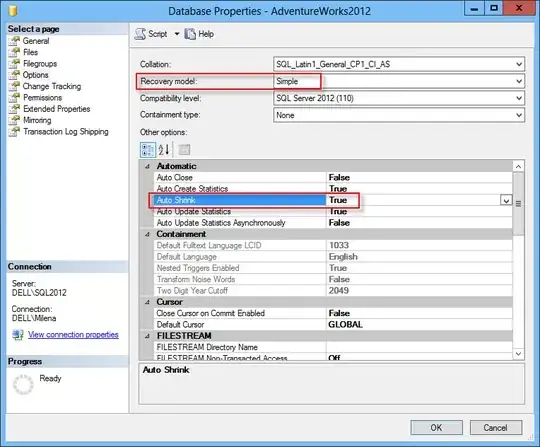
- Set the database recovery model to Simple
This should keep your LDF file from growing, and is set via the Options page of the Database Properties dialog.
For additional reducing, which I don't think is necessary, you can:
2 Set Auto Shrink to True
This is also done from the Options page of the Database Properties dialog:
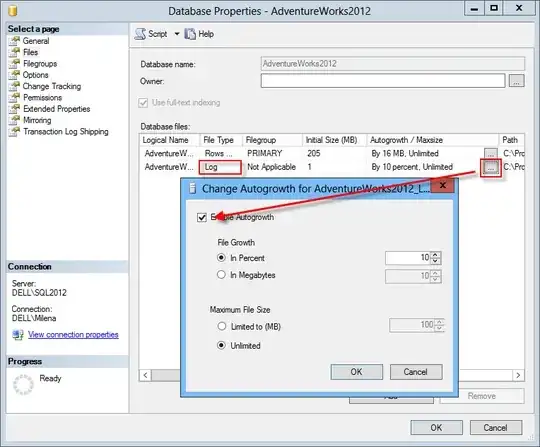
3 Turn auto-grow off
This is done from the Files page of the Database Properties dialog:
Be aware that when a database is in the Simple recovery model, you will not be able to recover to a point in time
Or
- Set the database recovery model to Full (I guess it's already set this way)
- Create a full database backup
- Start creating transaction log backups regularly. It's best to schedule a SQL Server job to do this
The latter scenario provides better disaster recovery as it enables recovery to a point in time
It's up to you to decide how much data you can afford to lose


