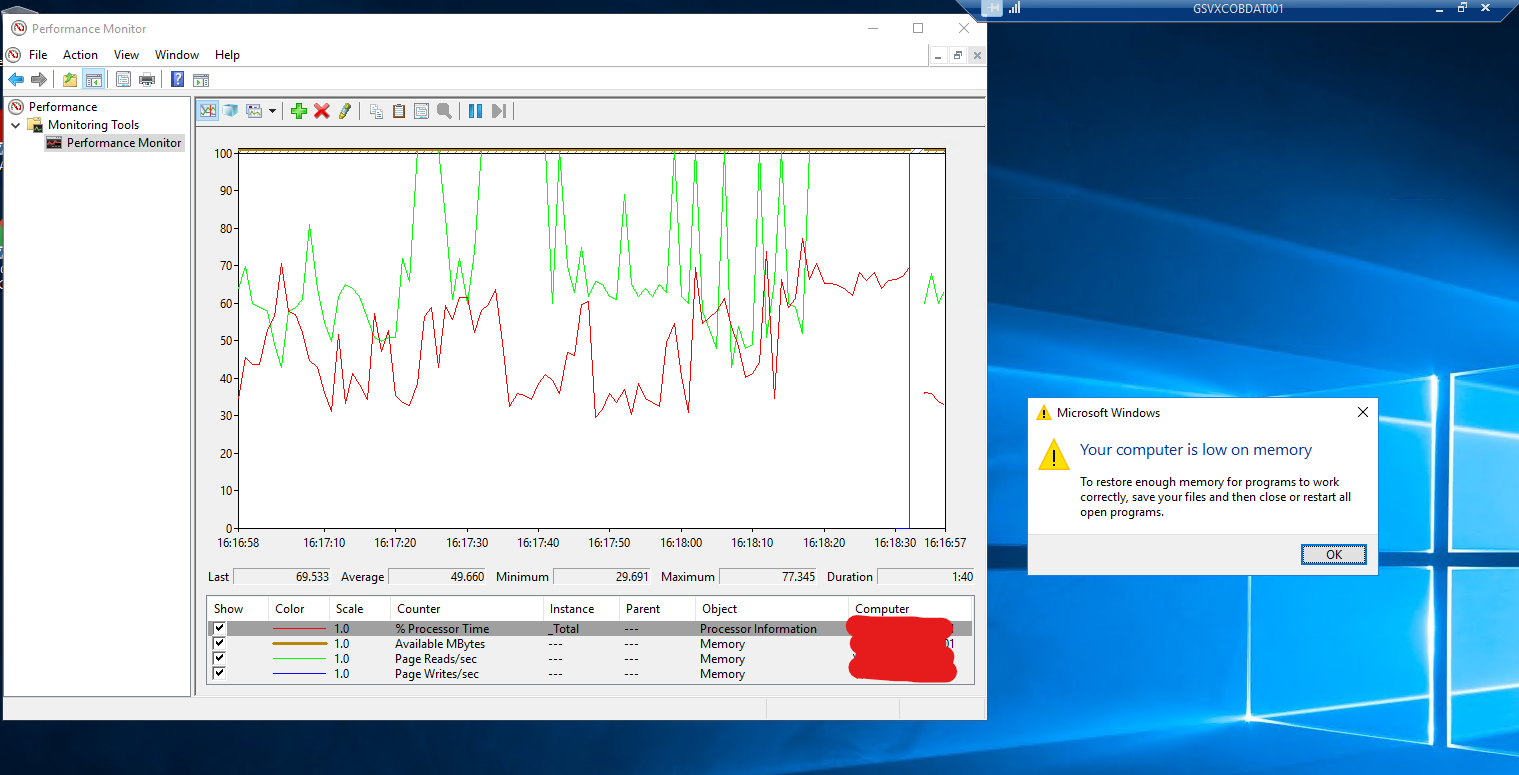
I will be straightforward and put my question before I add any other information, as I want to keep it objective and to the point.
the question is:
How to find out why the replication services are stopping?
I thought that this info would be stored in the distribution database like this:
select * from distribution.dbo.msrepl_errors (nolock) where id = 0
But this was not the case.
I am coming across some errors on my transactional replication. that I could clearly see:

Source: Microsoft.SqlServer.Management.Sdk.Sfc Target Site: Void FilterException(System.Exception) Message: Exception of type 'System.OutOfMemoryException' was thrown. Stack: at Microsoft.SqlServer.Management.Sdk.Sfc.EnumeratorException.FilterException(Exception e) at Microsoft.SqlServer.Management.Sdk.Sfc.Enumerator.Process(Object connectionInfo, Request request) at Microsoft.SqlServer.Management.Smo.ExecutionManager.GetEnumeratorData(Request req) at Microsoft.SqlServer.Management.Smo.SqlSmoObject.GetDbCollation(String dbname) at Microsoft.SqlServer.Management.Smo.SqlSmoObject.GetDbComparer(Boolean inServer) at Microsoft.SqlServer.Management.Smo.SqlSmoObject.InitializeStringComparer() at Microsoft.SqlServer.Management.Smo.AbstractCollectionBase.get_StringComparer() at Microsoft.SqlServer.Management.Smo.SimpleObjectCollectionBase.InitInnerCollection() at Microsoft.SqlServer.Management.Smo.SmoCollectionBase.GetObjectByKey(ObjectKeyBase key) at Microsoft.SqlServer.Management.Smo.DatabaseCollection.get_Item(String name) at Microsoft.SqlServer.Replication.Snapshot.SmoScriptingManager.PrefetchObjects(ObjectPrefetchControl[] objectPrefetchControls) at Microsoft.SqlServer.Replication.Snapshot.SmoScriptingManager.DoPrefetchWithRetry() at Microsoft.SqlServer.Replication.Snapshot.SmoScriptingManager.DoScripting() at Microsoft.SqlServer.Replication.Snapshot.SqlServerSnapshotProvider.DoScripting() at Microsoft.SqlServer.Replication.Snapshot.SqlServerSnapshotProvider.GenerateSnapshot() at Microsoft.SqlServer.Replication.SnapshotGenerationAgent.InternalRun() at Microsoft.SqlServer.Replication.AgentCore.Run()
while running a snapshot:
memory mapped file write failed
and previous to that:
System.OutOfMemoryException

and also a few of these:
Error messages: The replication agent has not logged a progress message in 10 minutes. This might indicate an unresponsive agent or high system activity. Verify that records are being replicated to the destination and that connections to the Subscriber, Publisher, and Distributor are still active.
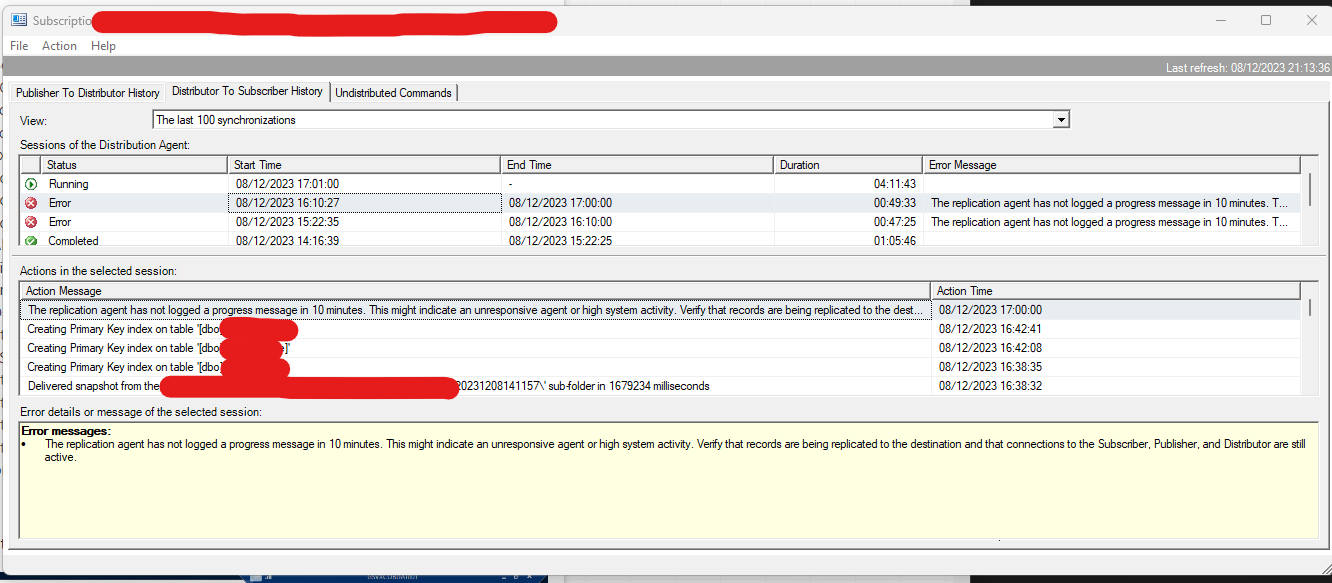
Error messages: ⦁ Message: memory mapped file write failed Stack:
at Microsoft.SqlServer.Replication.Snapshot.SqlServer.NativeBcpOutProvider.ThrowNativeBcpOutException(CConnection* pNativeConnectionWrapper) at Microsoft.SqlServer.Replication.Snapshot.SqlServer.NativeBcpOutProvider.BcpOut(String strBcpObjectName, String strBcpObjectOwner, String strBaseBcpObjectName, Boolean fUnicodeConversion, String strDataFile, String strLoadOrderingHint, String strWhereClause, Boolean useTableLockHint, Int32 bcpFileFormatVersion) at Microsoft.SqlServer.Replication.Snapshot.SqlServer.BcpOutThreadProvider.DoWork(WorkItem workItem) at Microsoft.SqlServer.Replication.WorkerThread.NonExceptionBasedAgentThreadProc() at Microsoft.SqlServer.Replication.AgentCore.BaseAgentThread.AgentThreadProcWrapper() (Source: MSSQLServer, Error number: 0) Get help: http://help/0
and the previous error message:
Error messages: ⦁ Source: Microsoft.SqlServer.Management.Sdk.Sfc Target Site: Void FilterException(System.Exception) Message: Exception of type 'System.OutOfMemoryException' was thrown. Stack: at Microsoft.SqlServer.Management.Sdk.Sfc.EnumeratorException.FilterException(Exception e) at Microsoft.SqlServer.Management.Sdk.Sfc.Enumerator.Process(Object connectionInfo, Request request) at Microsoft.SqlServer.Management.Smo.ExecutionManager.GetEnumeratorData(Request req) at Microsoft.SqlServer.Management.Smo.SqlSmoObject.GetDbCollation(String dbname) at Microsoft.SqlServer.Management.Smo.SqlSmoObject.GetDbComparer(Boolean inServer) at Microsoft.SqlServer.Management.Smo.SqlSmoObject.InitializeStringComparer() at Microsoft.SqlServer.Management.Smo.AbstractCollectionBase.get_StringComparer() at Microsoft.SqlServer.Management.Smo.SimpleObjectCollectionBase.InitInnerCollection() at Microsoft.SqlServer.Management.Smo.SmoCollectionBase.GetObjectByKey(ObjectKeyBase key) at Microsoft.SqlServer.Management.Smo.DatabaseCollection.get_Item(String name) at Microsoft.SqlServer.Replication.Snapshot.SmoScriptingManager.PrefetchObjects(ObjectPrefetchControl[] objectPrefetchControls) at Microsoft.SqlServer.Replication.Snapshot.SmoScriptingManager.DoPrefetchWithRetry() at Microsoft.SqlServer.Replication.Snapshot.SmoScriptingManager.DoScripting() at Microsoft.SqlServer.Replication.Snapshot.SqlServerSnapshotProvider.DoScripting() at Microsoft.SqlServer.Replication.Snapshot.SqlServerSnapshotProvider.GenerateSnapshot() at Microsoft.SqlServer.Replication.SnapshotGenerationAgent.InternalRun() at Microsoft.SqlServer.Replication.AgentCore.Run() (Source: Microsoft.SqlServer.Management.Sdk.Sfc, Error number: 0) Get help: http://help/0
and while troubleshooting it it turned out that the computer is really out of memory