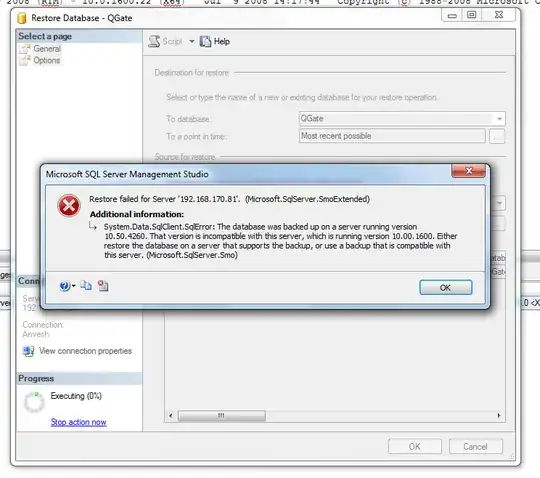
Do not be tempted to use the Copy Database tool within SSMS: it is a massive pain in the behind and requires a LOT of messing about to make it work thanks to its use of SSIS. It should be simple, and indeed it was in SQL Server 2000, but it requires so much security faffing now that it's not really worth the effort. I've lost countless hours trying to make it work reliably.
It's not the easiest or cleanest solution, but I would agree with the previous posters that scripting the entire DB out is your best bet IF you don't have a large DB. If you do then realistically your only option is to upgrade the target server to 2008 R2 (or even 2012). Bear in mind that the Developer Edition of any given SQL Server version is only about £50 (about US$77 right now, and may actually be less than that in US$ markets) and is functionally equivalent to the full Enterprise Edition.
If you're really stuck and can't get the cash, you may be able to use the latest Express Edition (free) and restore to that but check that there is no limited functionality which might impede your development. I could be wrong but I think the Express editions have most of the features of Standard edition but limit DB size and possibly number of connections. You already have SSMS so you can connect straight to your new Express instance.
As an aside, I think MS have put some effort into making the Copy Database wizard better and easier to use in 2012, but I've not tried it yet.
Incidentally compatibility levels have nothing to do with DB versions, only restricting what features can be used on a specific DB. For example, you might want to prevent the use of CLR functions in a DB because it's an old legacy system so you might have the compatibility level set to 80 to prevent anyone adding such features to the DB.