How to take dump files on Oracle7.3 running on Windows NT 3.51?
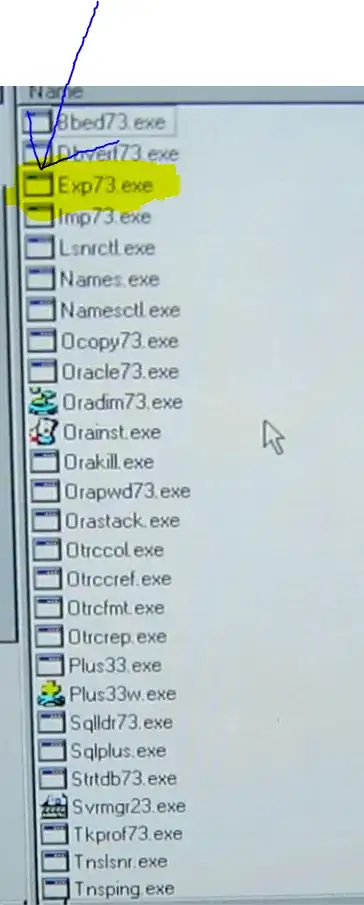
Should you stand in the Orant/bin folder and run one of the programs there like>
exp73 SYSTEM/password@[dbinstance] FULL=Y LOG=EXPORT.LOG
Did not work
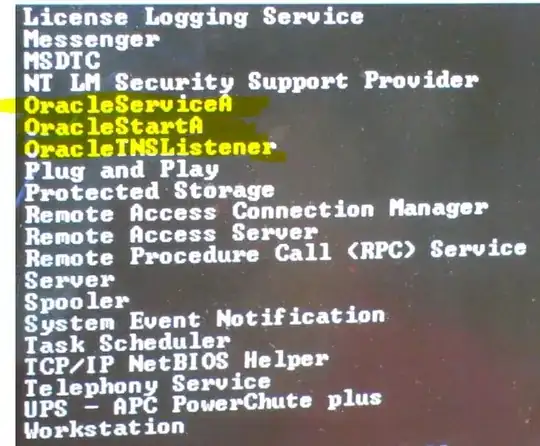
 These services:
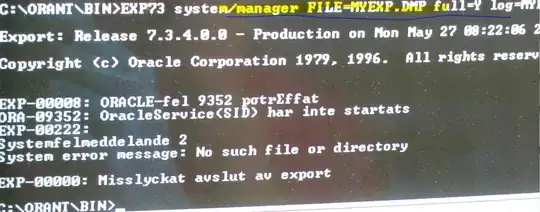

Ok here's what I did:
I was in the ORANT\BIN folder.
I had to figure out what the SID was for the DB. Did that via an Oracle client which I tried to connect remotely to Oracle on the server.
set oracle_sid=a

exp73.exe System/manager file=myexp13xxxx.dmp full=y log=mylog130527.log


Been a long time but I remember that you can use either ORACLE_SID or LOCAL to set your database. Check your registry (something like local_machine/software/oracle). Make sure you have only one of the two set. Make sure that your database service is running. Then try to start an sql session first: sqlplus username/password. Once that works so will exp.
