When creating new tables in a database project in VS 2012, opened sql files default to a split view. One is the T-SQL text editor view, and the other is the Design view. I've never used the design view, and probably never will. I just prefer the text editor. Is there a way to tell VS to default to the T-SQL view?
Asked
Active
Viewed 445 times

2 Answers
2
I haven't found an option to turn off the design portion of the split view. Nor have I found a way to have the order of the windows remembered after closing a window, which is annoying!
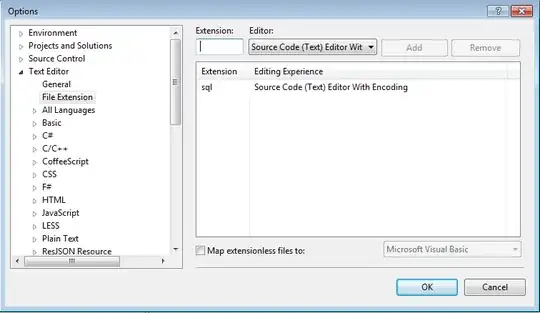
However, if you want to ditch the SSDT editor completely you can change the default for .sql files in Tools/Options/Text Editor/File Extension, as shown below:

Mark Storey-Smith
- 31,860
- 9
- 90
- 125
2
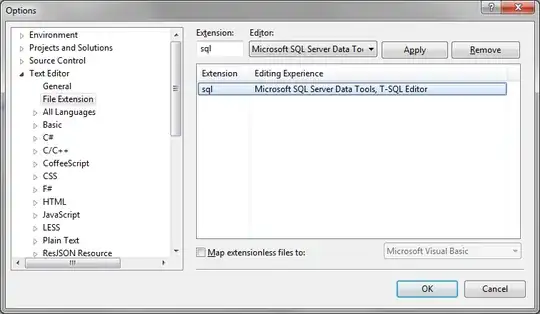
Alternatively you can choose the editing experience 'Microsoft SQL Server Data Tools, T-SQL Editor' for 'sql' extention files. This option will keep the T-SQL specific key word highlighting features intact when opening the file.

Taqveem
- 19
- 2