I have a query which takes large time to execute sometimes.When i checked the speed it was taking 15 seconds.But actually it should run faster than that.When i again checked the query it again executed with in 11 sec.Then i tried removing cast used in query and when executed it ran just in 8 seconds.But when i again the original query it takes less time.I checked in several computers running the query.But in some cases i get output just in 1 or 2 seconds also.So there is no consistency with the time taken to execute.So i am not able to find why this happens?
Below is the query i used to test
SELECT [customer].[Customer name],[customer].[Sl_No],[customer].[Id]
FROM [company].dbo.[customer]
WHERE ( Charindex('9000413237',CAST([company].dbo.[customer].[Phone no] AS VARCHAR(MAX)))>0 )
Here customer table has about 30 columns.In that 'Customer name' is of datatype varchar(255),'Sl_No' is of int,'Id' is of int and 'Phone no' is of varchar(255).
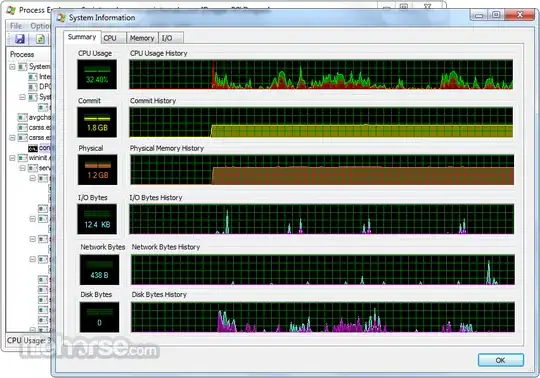
when i execute the same query(with cast) time required to execute is different even in same PC for different trials.It varies from 1 second to 14 second(i tried number of trials executing query). The variation in time may be due to network lateny,cache,table in high usage by other user etc. But is there any tool or method by which i can find the reason for the time taken(may be slow or fast) to execute?
update I just tried to check IO stalls by using the query
SELECT
    mf.physical_name,
    ( io_stall_read_ms / ( 1.0 + num_of_reads )) as [avg read wait],
    ( io_stall_write_ms / ( 1.0 + num_of_writes )) as [avg write wait],
    i.name,
    fs.io_stall
    FROM    sys.dm_io_virtual_file_stats(NULL, NULL) AS fs
    INNER JOIN sys.master_files AS mf ON fs.database_id = mf.database_id AND fs.[file_id] = mf.[file_id]
    INNER JOIN sys.databases as i on fs.database_id = i.database_id
order by i.name desc
In the output my database 'company' was taking high io stall.below is the values i got for that database.(The original output had iostall of all database files)
avg read wait-37.17162364 avg write wait -20.66666667 io_stall-4813081 So the database i used in query had high iostall .What is the reason for it?
I added Phone no as non clustered index and just rewrite the query as
SELECT [customer].[Customer name],[customer].[Sl_No],[customer].[Id]
 FROM [company].dbo.[customer]
  WHERE [company].dbo.[customer].[Phone no]  LIKE '%9000413237%'
Now the query executes within 1 second. I cant use LIKE '9000413237%' as i require phone number to be searched at any part of the column.So i hav to use LIKE '%9000413237%'.But in several articles it is mentioned that using like '%abc%' will not benefit indexing only 'abc%' can benefit from indexing. But in my case using LIKE '%9000413237%' helped me a lot with indexing.So i have doubt that why people say using LIKE '%9000413237%' does not benifit