2

When trying to access the files available on the virtual directory created for FileTable, you receive the following error message:

"The location of the file can not be opened. Access is not enabled or not you have the permissions for it."

Already granted all permissions, however, the application displays this error.

Kin Shah
  • 62,545
  • 6
  • 124
  • 245
Camila Reis
  • 83
  • 1
  • 7

1 Answers1

1

You need to have

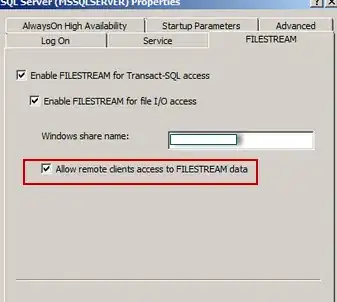
"Allow remote clients access to FILESTREAM data" selected as shown below :

enter image description here

Also, you need to leave the windows share as a Globalroot path and manage permissions through table properties, not Windows share properties.

Refer to : Prerequisites for FileTable

Kin Shah
  • 62,545
  • 6
  • 124
  • 245