20

While testing some migration scripts with a copy of production data (scripts run fine with development data) I found a curious situation. A CONSTRAINT has changed so I'm issuing DROP + ADD commands:

ALTER TABLE A_DUP_CALLE
DROP CONSTRAINT A_DUP_CALLE_UK1;

ALTER TABLE A_DUP_CALLE
ADD CONSTRAINT A_DUP_CALLE_UK1 UNIQUE (
    CONTROL_ID,
    CALLE_AYTO_DUPL
)
ENABLE;

The DROP command worked fine but the ADD one failed. Now, I'm into a vicious circle. I cannot drop the constraint because it doesn't exist (initial drop worked as expected):

ORA-02443: Cannot drop constraint - nonexistent constraint

And I cannot create it because the name already exists:

ORA-00955: name is already used by an existing object

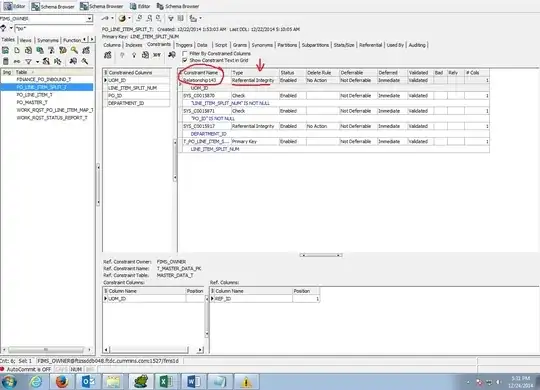
I type A_DUP_CALLE_UK1 into SQL Developer's Search box and... there it is! Owner, table name, tablescape... everything matches: it isn't a different object with the same name, it is my original constraint. The table appears in the constraint details but the constraint does not appear in the table's details.

My questions:

  • What's the explanation for this?
  • How can I ensure it won't happen when I make the real upgrade in live server?

(Server is 10g XE, I don't have enough reputation to create the tag.)

Leigh Riffel
  • 23,884
  • 17
  • 80
  • 155
Álvaro González
  • 1,089
  • 5
  • 17
  • 32

6 Answers6

14

At a guess I'd say Marian is right and this is caused by a unique index and constraint having the same name, eg:

create table t( k1 integer, k2 integer, 
                constraint u1 unique(k1,k2) using index(create unique index u1 on t(k1,k2)),
                constraint u2 unique(k2,k1) using index u1);

select count(*) from user_indexes where index_name='U1';

COUNT(*)               
---------------------- 
1  

alter table t drop constraint u1;

select count(*) from user_indexes where index_name='U1';

COUNT(*)               
---------------------- 
1  

Normally when you add a unique constraint, a unique index with the same name is created - but the index and constraint are not the same thing. Have a look at all_indexes to see if there is an index called A_DUP_CALLE_UK1 and try and figure out if it is used by something else before you drop it!

Jack Douglas
  • 40,517
  • 16
  • 106
  • 178
6

Seems very strange.

You can run:

 SELECT *
 FROM user_objects
 WHERE object_name = 'A_DUP_CALLE_UK1'

to check if what kind of object that is Oracle complains about. Then you can run the approriate DROP statement for that.

The only other thing I can think of is to drop the table entirely using DROP TABLE A_DUP_CALLE CASCADE CONSTRAINTS to get rid of everything that belongs to that table and then re-create it completely.

If the table contains valueable data you can make a backup of it before:

CREATE TABLE old_data
AS
SELECT *
FROM A_DUP_CALLE;

Once you have recreated the table, you can do

INSERT INTO A_DUP_CALLE (col1, col2, col3) 
SELECT col1, col2, col3
FROM old_data

to restore the data.

6

I've had the same problem just a few minutes ago... and I've found an explanation.

By creating a Primary Key, Oracle creates two objects : a constraint, and an index, that controls the "UNIQUE" part.

By dropping the constraint, the index remains there, using the same name of the index, so if you execute just

alter table t drop constraint u1;

You'll be dropping only the constraint. To drop the index, you'll need to execute

drop index u1;

This should do the work. Alternatively, you could do both of these commands at the same time with the command

alter table t drop constraint u1 including indexes;
perlyking
  • 103
  • 3
1

Primary key constraint come with index. You drop constraint but not index. Check:

select * from ALL_OBJECTS where OBJECT_NAME = 'PK_TBL_CONSTR';

and you see OBJECT_TYPE is INDEX.

So do both:

alter table TBL drop constraint PK_TBL_CONSTR;
drop index PK_TBL_CONSTR;
gavenkoa
  • 519
  • 2
  • 9
  • 23
1

Do this

ALTER TABLE A_DUP_CALLE
DROP CONSTRAINT "A_DUP_CALLE_UK1";

It will work.

IMAGE: enter image description here

Sachin
  • 111
  • 3
0

I had a similar case, where a given constraint was absent, but impossible to create either:

> ALTER TABLE my_tbl drop CONSTRAINT my_cnstr ;
ORA-02443: Cannot drop constraint  - nonexistent constraint

> ALTER TABLE my_tbl ADD CONSTRAINT my_cnstr UNIQUE (a, b, c); ORA-02261: such unique or primary key already exists in the table

> SELECT * FROM user_objects WHERE object_name = 'my_cnstr'; [empty]

Cause was another, redundant constraint on my_tbl covering the same columns, but with a different name. Removing it solved this.

bathyscapher
  • 101
  • 2