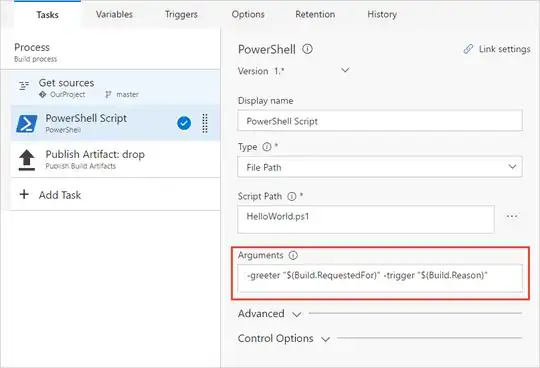
I've tried to figure this out and I can't see why my ipaddress is not getting set.
I've checked code samples and they all suggest I am doing everything correct.
ip variable defined here:

This is my powershell script:
# Write your PowerShell commands here.
Write-Host "AGENTIPADDRESS variable is set to ($env:AGENTIPADDRESS)"
$ipaddress = Invoke-RestMethod http://ipinfo.io/json | Select -exp ip
Write-Host "ipaddress variable is set to ($ipaddress)"
Write-Host "ip pipeline variable to ($ip)"
Write-Host "##vso[task.setvariable variable=IP;]$ipaddress"
Write-Host "##vso[task.setvariable variable=env:IP;]$ipaddress"
Write-Host "##vso[task.setvariable variable=$env:IP;]$ipaddress"
echo "##vso[task.setvariable variable=IP;]$ipaddress"
Write-Host "##vso[task.setvariable variable=IP;]333"
Write-Host "##vso[task.setvariable variable=IP;]$ipaddress"
echo "##vso[task.setvariable variable=IP]999"
echo "##vso[task.setvariable variable=IP;]888"
Write-Host "##vso[task.setvariable variable=IP;]$ipaddress"
Write-Host "##vso[task.setvariable variable=IP;]$ipaddress"
Write-Host "##vso[task.setvariable variable=IP]114"
Write-Host "##vso[task.setvariable variable=IP;]123"
Write-Host "ip environment variable to ($ip)"
Write-Host "env:IP environment variable to ($env:IP)"
Write-Host "Set environment variable to ($env:AGENTIPADDRESS)"
And here is my output:
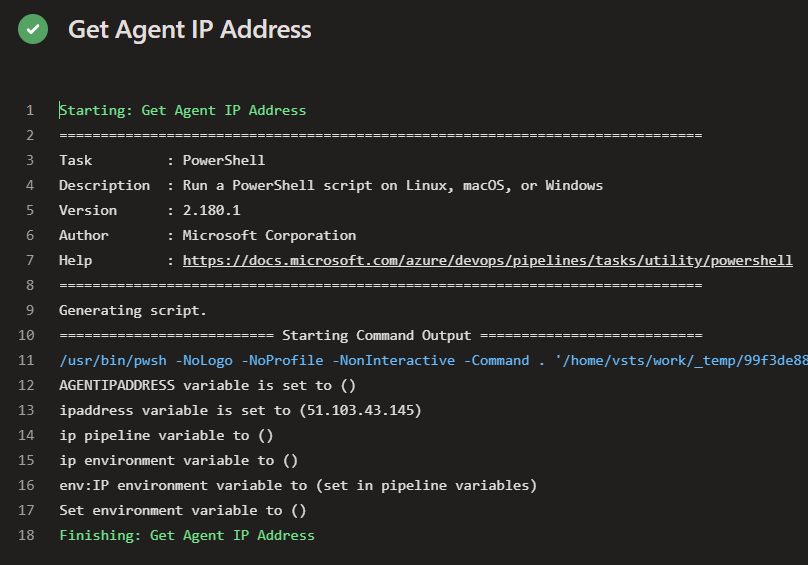
Why can't I set & read the ip variable?