29

I have followed the instructions on command line: https://docs.microsoft.com/en-us/azure/devops/repos/git/merging?view=azure-devops&tabs=visual-studio
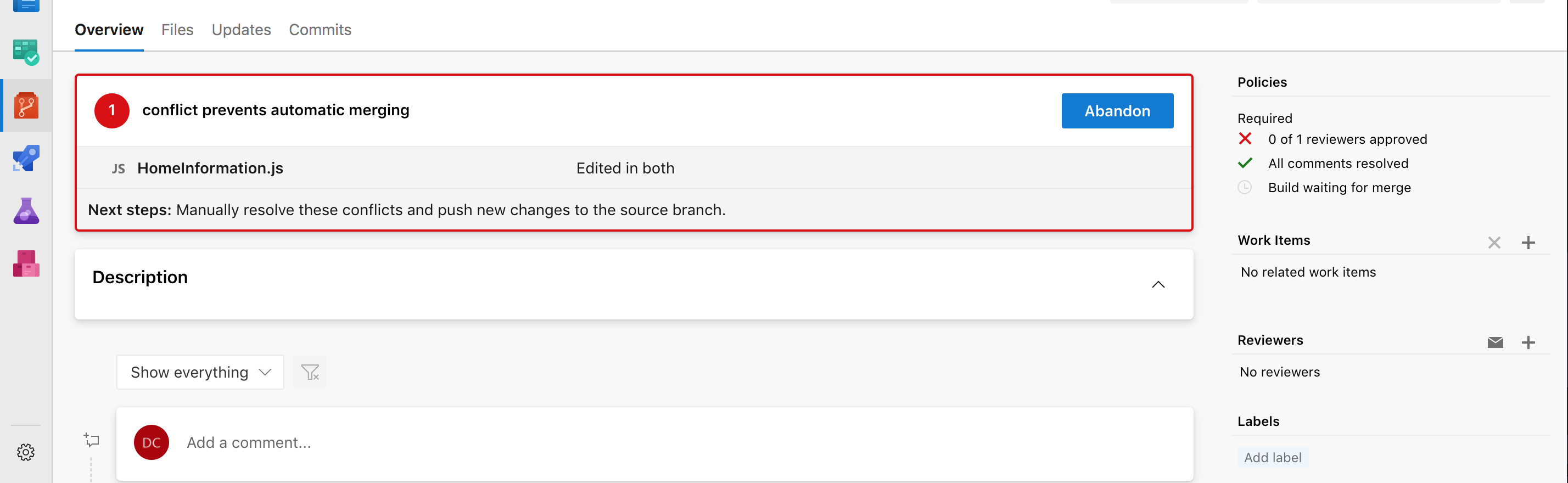
enter image description here

all I want to do is resolve this merge conflict its complaining about.

To be clear, I have done a git pull, it says Already up to date.

I also tried:

git pull origin feature/ENGA-2514
From ssh.dev.azure.com:v3/nfib/NfibEnterprise/engage.mobile
 * branch                feature/ENGA-2514 -> FETCH_HEAD
Already up to date.

I have also tried:

git log --merge
fatal: --merge without MERGE_HEAD?

Where is this elusive merge conflict?

Daniel
  • 569
  • 2
  • 5
  • 13

5 Answers5

16

Try this solution: Pull Request Merge Conflict Extension. It helps to resolve conflicts inside the pull request page.

8

I had this problem too, coming from github where you can usually resolve text file changes in browser.

On your local repo, you want to get the latest then reverse-merge, so in your case

// Precursor to ensure your local is the same as origin
git pull master
git checkout feature/ENGA-2514
git pull feature/ENGA-2514

// include all of the other branches changes into yours. git merge master

// This is where you'll be able to resolve the conflicts locally // and commit the merge into feature/ENGA-2514

git push feature/ENGA-2514

Then your branch wont conflict with master in devops, since youve just merged master into your branch.

Jono
  • 181
  • 1
  • 2
5

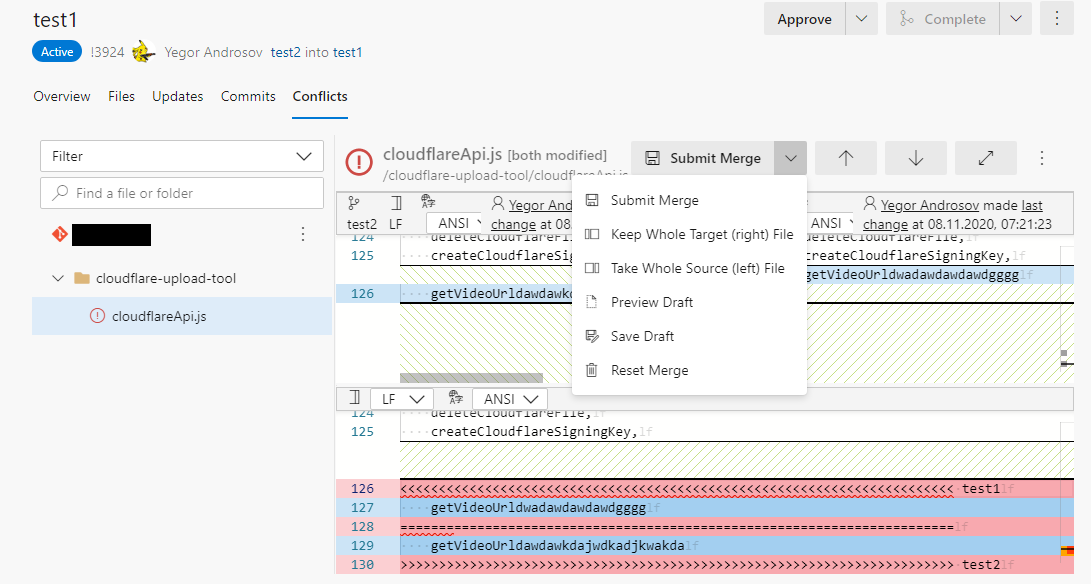
I am not sure this tab appears 100% of the time, you still have to merge some cases locally, but you can merge some PRs without any extensions in latest UI update.

merge tool

Yehor Androsov
  • 151
  • 1
  • 2
2

For me, I cannot resolve these conflicts.

To PREVENT THEM:

  i) Make backups outside the folder system for the repository

ii) Totally delete your 'local' folder for the repository. (Seems counterintuitive, but it is all that works for me).

iii) Re-load 'local' folder from the web-repository.

iv) Eventually, check-in, then it will work.

v) Repeat step i for next time.

JosephDoggie
  • 121
  • 3
1

Pull/Check out the branch with these merge conflicts. Edit the file with reported merge conflicts locally. Push the changes and it will be resolved.

Justas
  • 11
  • 2