1

I need to save some engineering files that need the thicknesses in the filename. Windows hates "/" or "\", so I can't use a simple fraction. Symbols like this...

⅓, ⅔, ⅕, ⅖, ⅗, ⅘, ⅙, ⅚, ⅛, ⅜, ⅝, ⅞

...are nice, but don't cover the full gamitt of dimensions (ie. 1/16").

In addition, Windows hates " in the filename, so I assume in is used instead?

GisMofx
  • 1,588
  • 12
  • 19
Davbog
  • 383
  • 4
  • 11

4 Answers4

5

I've seen numerous formats in my experience.

Per some of the comments, sometimes you'll see a fraction represented with dashes, underscores, or as a decimal. I find that most often, decimals are used.

  • 1/2 = 1_2 ,1-2, 500
  • 5/16 = 5_16 , 5-16, 3125

When you have 1 1/2" then I see 1_500 where the underscore would represent the decimal point.

I don't think there is a standard per se, but you should be consistent with your naming. Also, make an info-graphic that describes your filename nomenclature.

Sometimes for standard sizes or increments or catalog items, things are represented just by a simple number. E.g.

  • 1/16" = 01
  • 1/8" = 02

and so on.

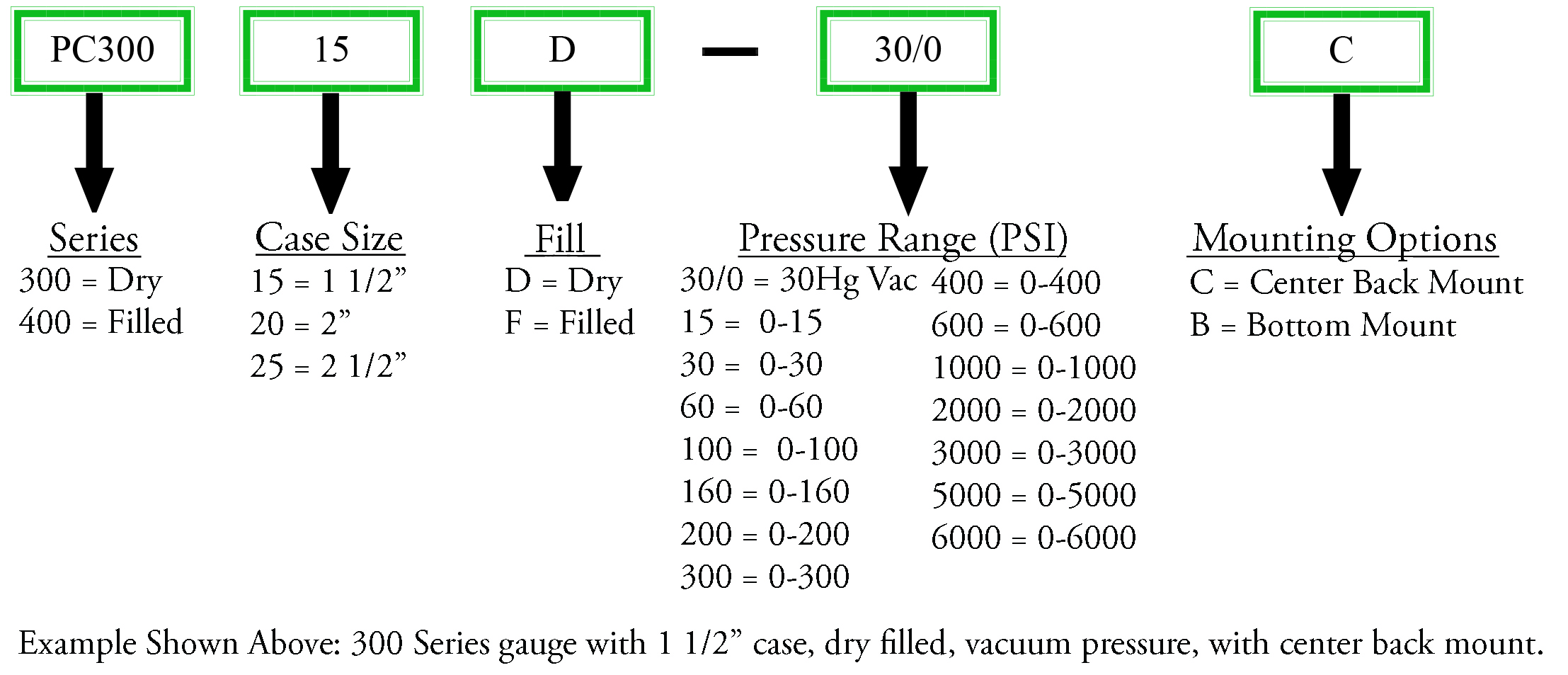
This graphic below is an excellent example(aside from the slash usage for a computer file name) Nomenclature Diagram

GisMofx
  • 1,588
  • 12
  • 19
2

We use the left bracket. It looks the best in our opinion:

1/16" = 1[16 in.

3/8" = 3[8 in.

1

This generator can seemingly make any fraction you want in unicode:

https://qaz.wtf/u/fraction.cgi

I put ¹⁄₁₆ in my Windows filename just fine. [Ironically enough, before finding the converter, I came up with using Shayne Turner's left bracket (1[16) idea.]

As for indicating the inches measurement, I'm just using 2 single quotes instead of a double.

velkoon
  • 111
  • 2
0

I was taught in one of my engineering classes back in the 70's that the proper way was to use the 'r' symbol where 'r' stands for radix. I think it was a Fortran 77 programming course.

1/2 becomes 1r2 9/32 becomes 9r32

So a picture of a drill bit would be "Bit, twist drill, jobber, 5r8 in.jpg"