ifupdown versus ifupdown2
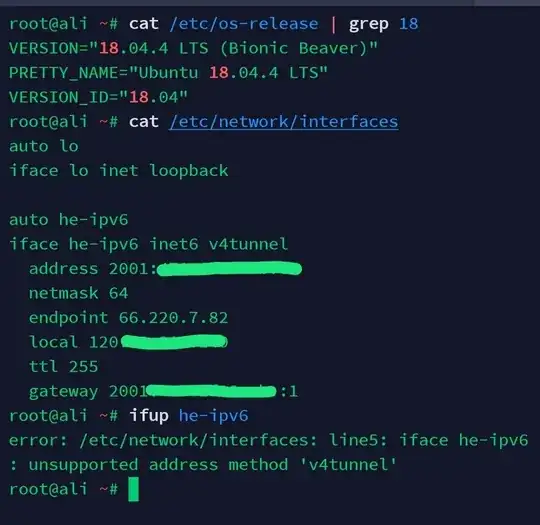
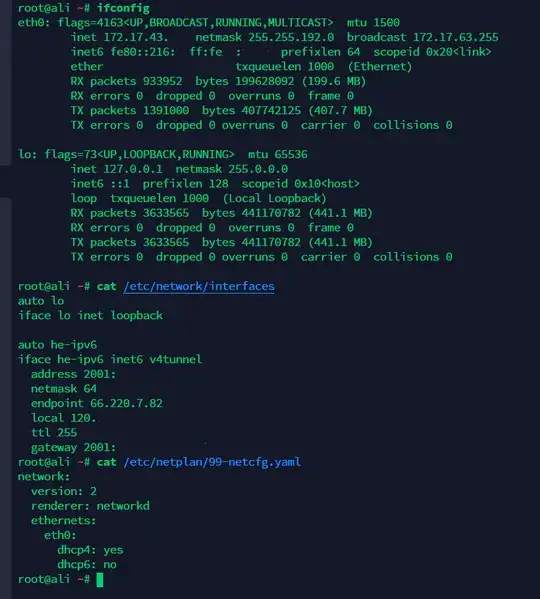
From your error message, you are using the package ifupdown2 rather than ifupdown. Both are available on Ubuntu, but the online manpage shows only one version, I'm guessing the default installed, which would explain why you ended up using ifupdown2.
While ifupdown2 is a replacement for ifupdown developped by Cumulus Networks, with improved support for modern network features, there are some syntax incompatibilities.
So either install ifupdown instead of ifupdown2, or adapt the configuration, which I give below.
What tunnel?
The original ifupdown provides the v4tunnel method:
The v4tunnel Method
This method may be used to setup an IPv6-over-IPv4 tunnel. It requires the ip command from the iproute package.
The ifupdown settings run these actual commands:
ip tunnel add he-ipv6 mode sit remote 66.220.7.82 local <my IPv4 address> ttl 255
ip link set he-ipv6 up
ip addr add <my IPv6 address> dev he-ipv6
ip route add <my gateway> dev he-ipv6
ip route add ::/0 via <my gateway> dev he-ipv6 onlink
So we know it's a SIT tunnel.
Using ifupdown2
The package ifupdown2, doesn't provide a v4tunnel method and lacks documentation for the replacement tunnel method which should have been described in man ifupdown-addons-interfaces but is not. It's still available from ifquery --syntax-help. Here's an excerpt (from Ubuntu 18.04's version):
tunnel: create/configure GRE/IPIP/SIT tunnel interfaces
[...]
  endpoint
    help: IP of remote tunnel endpoint
    required: True
    validvals: <ipv4>,<ipv6>
    example:
      endpoint 192.2.0.23
  local
    help: IP of local tunnel endpoint
    required: True
    validvals: <ipv4>,<ipv6>
    example:
      local 192.2.0.42
  mode
    help: type of tunnel as in 'ip link' command.
    required: True
    validvals: greipip,sit
    example:
      mode gre
  ttl
    help: TTL for tunnel packets
    required: False
    validvals: <number>
    example:
      ttl 64
Note that there's a typo in mode values (it should be gre,ipip,sit). Newer versions would handle more modes (anyway we already have sit available):
validvals: gre,gretap,ipip,sit,vti,ip6gre,ipip6,ip6ip6,vti6
Which gives this working configuration:
auto he-ipv6
iface he-ipv6 inet6 tunnel
        mode sit
        address <my IPv6 address>
        netmask 64
        endpoint 66.220.7.82
        local <my IPv4 address>
        ttl 255
        gateway <my gateway>
The difference is the generic tunnel method and that you specify the type of tunnel with the mode keyword.