11

I have a CloudFront distribution with a default behavior that is configured to allow any CORS request including preflight requests. However, the OPTIONS request will fail with an HTTP 403 error (details below) which is not what I expect.

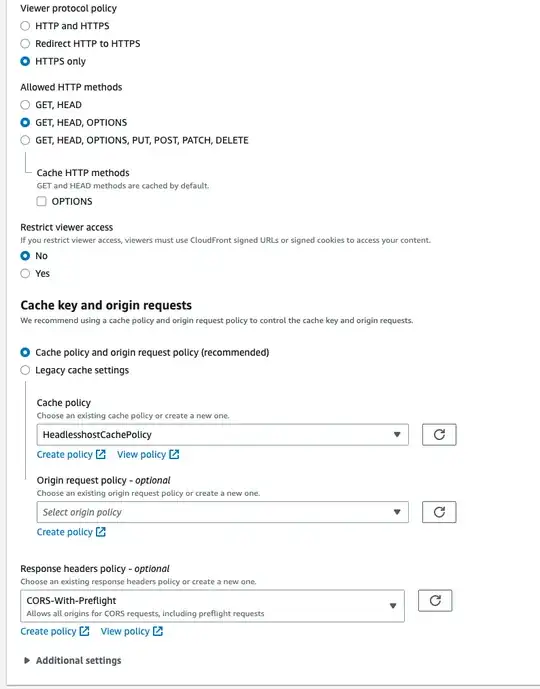
I am using the AWS-managed CORS-With-Preflight policy that should allow all CORS requests, including the preflight (OPTIONS) request:
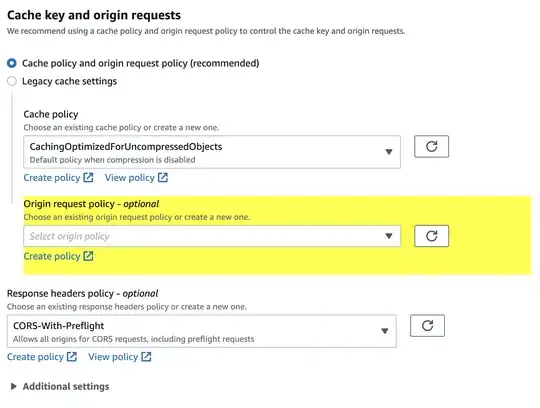
(I am not sure why the “Origin request policy” area is highlighted in yellow.)

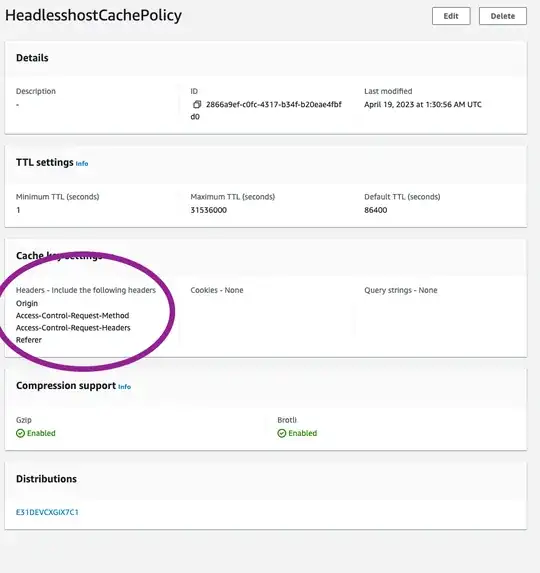
Policy details:
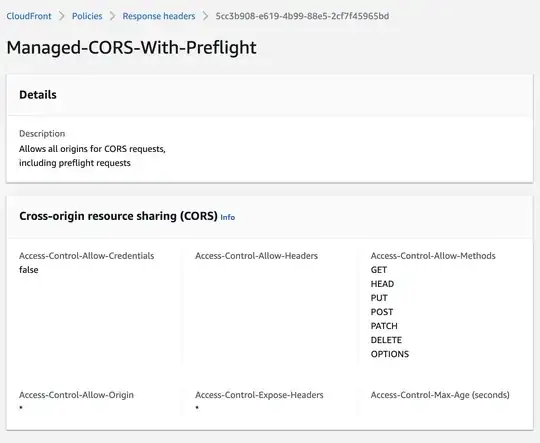
I have allowed OPTIONS requests in the Behavior:
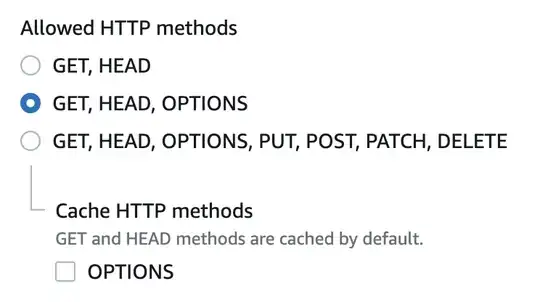
However, when I send an options request, CloudFront will return this error:

$ curl --request OPTIONS --url https://d3qj3h7hjzomrd.cloudfront.net/ --header 'Origin: https://www.example.com'

<?xml version="1.0" encoding="UTF-8"?> <Error> <Code>AccessForbidden</Code> <Message>CORSResponse: This CORS request is not allowed. This is usually because the evalution of Origin, request method / Access-Control-Request-Method or Access-Control-Request-Headers are not whitelisted by the resource's CORS spec.</Message> <Method>OPTIONS</Method> <ResourceType>OBJECT</ResourceType> <RequestId>WH3SHHNDMJR03FWJ</RequestId> <HostId>4mr77QbpdUeaN/GZvaFiwX5urzZbo7VoW2IiG3Ziq1HikqcPoTZKZZRmibuNf4590YlCf46Wu6s=</HostId> </Error>

(I’ve formatted the XML for better readability.)

What do I need to change to allow OPTIONS requests?

aaronk6
  • 506
  • 7
  • 16

3 Answers3

8

I have been having a battle with this over the last day and have found that the Cache Policy also makes a difference. With the provided "Caching Optimized" some of the required headers are blocked and you will get a 403 from the OPTIONS preflight and a CORS error from the GET.

To fix the issue make a custom Cache Policy like the one below.

(Sorry I'm new so cannot insert the images until I have 10 pts)

Behaviour setup

Behaviour setup

Custom cache policy

Custom cache policy

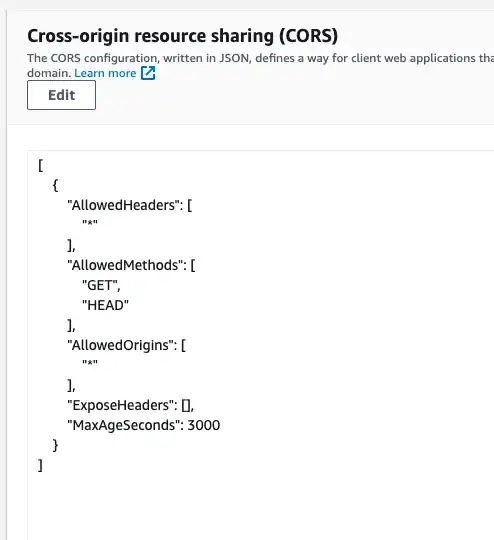
S3 Bucket CORS Policy

S3 Bucket CORS Policy

Henry
  • 103
  • 3
kapiti
  • 81
5

I've had exactly the same issue and I think I've managed to find the reason for such behaviour. Your CloudFront configuration seem to be totally fine.

As it turned out, AWS will return 403 for each OPTIONS request if it does not include Access-Control-Request-Method header. According to this MDN doc this is totally legit behaviour:

This header is necessary as the preflight request is always an OPTIONS and doesn't use the same method as the actual request.

So you just need to modify your curl to include this header:

curl -v --request OPTIONS \
--url https://d3qj3h7hjzomrd.cloudfront.net \
--header 'Origin: https://www.example.com' \
--header 'Access-Control-Request-Method: GET'
Dmitry K
  • 151
0

In my case, the issue was resolved by adding the crossorigin="anonymous" attribute in the script tag:

<script crossorigin="anonymous"> ... </script>

Hope this would help.


Context

  1. I was setting up both my frontend and backend behind CloudFront (CDN) and noticed that some GET requests were missing the Origin header. This caused CloudFront to omit CORS-related response headers.
  2. Adding crossorigin="anonymous" [1] in my frontend (built with Next.js [2]) allowed CloudFront to include the necessary CORS headers in its responses.

REF

  1. MDN: crossorigin Attribute
  2. Next.js crossOrigin Config
ktc
  • 101