Sorry my for my bad English!
- I want to separate the volume from the server.
- My server currently only has 1 volume, and it is the original volume.
- I have read the documentation of OpenStack api Block Storage API V3 (CURRENT).
i added the full match parameters: volume - in-use, project_id and volume_id but always get the error "Error: Unable to detach volume: Volume".
I don't know what the conditions are. But when I work on the dashboard, I get the error "Cannot detach a root device volume".
Here my actions:
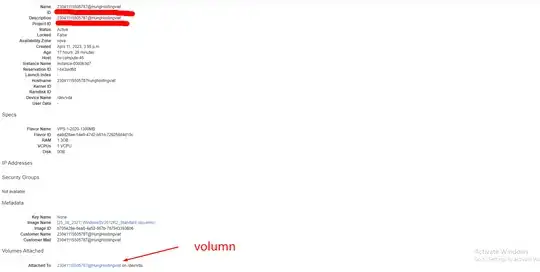
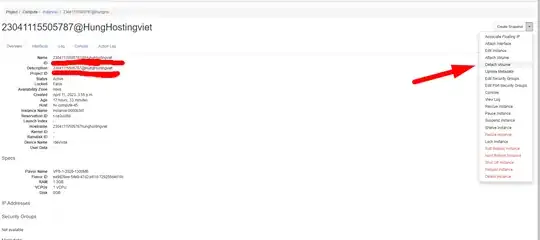

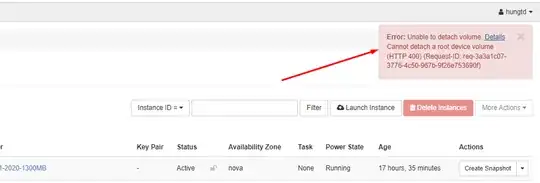
**My wish is:
- I have 3 snapshots and want to revert the data to the 2nd snapshot. But I can't revert. Because the condition volume must be available. So I have to separate the original volume from the instance or create a new volume from that snapshot. Then attach to the original instance and need to remove the old volume.**

