2

I have a client who setup SiteMinder on our server and I need to add a web app to the website directory that is the root of the domain. When they browse login.url.com it redirects them to their server, authenticates user, comes back and lands on a 404 page in my IIS. I put the Default.aspx and application files at the Default Website as well as the siteminderagent virtual directory, but they still are getting a 404 error.
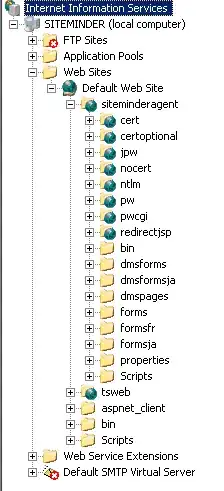
enter image description here

How can I figure out where this application is landing them with a 404?

Also, I installed .NET 3.5 on the server and the app is .NET 3.5, however even after installing it only shows 2.0xx inside the properties window of the default website... do I need to change this?
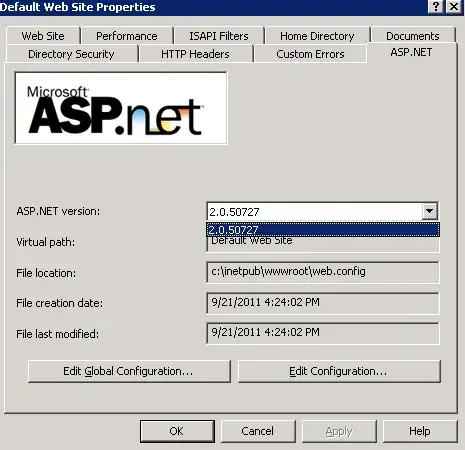
enter image description here

MetaGuru
  • 916
  • 7
  • 23
  • 36

2 Answers2

2

You might find what you are looking for in the W3SVC logs. You can see the request as it came in and I would think that should be enlightening. http://support.microsoft.com/kb/313437

In the logs, check the substatus code for the 404 responses.

404 Substatus 2 in IIS means: Web service extension lockdown policy prevents this request.

If this is the case, you probably just need to enable the ASP.NET web service extensions. See here: 404 when page exists - IIS 5, ASP.NET 4.0

0

Is default.aspx set as a default document for the sites in question? It sounds like it probably isn't assuming everything else is configured correctly.

MDMarra
  • 101,323