6

When i try to connect to SQL Server (2008 R2) using Windows authentication:
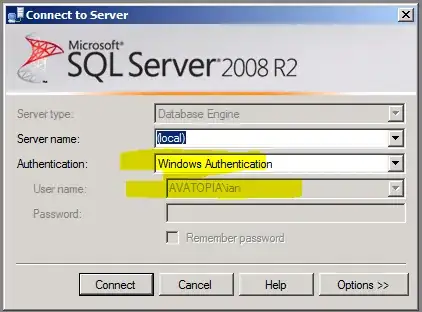
enter image description here

i cannot:

enter image description here

Checking the Windows Application event log, i find the error:

Login failed for user 'AVATOPIA\ian'. Reason: Token-based server access validation failed with an infrastructure error. Check for previous errors. [CLIENT: ]

  • Log Name: Application
  • Source: MSSQLSERVER
  • Event ID: 18456
  • Level: Information
  • User: AVATOPIA\ian
  • OpCode:
  • Task Category: Logon

i can login to the computer itself using Windows authentication. i can log into SQL Server using the local Windows Administrator account.

We can connect to 8 other SQL Servers on the domain using Windows Authentication. Just this one, whitch is the only one that is 2008 R2 is failing. So i assume it's a bug with **2008 R2*.

Note: i cannot logon locally, or remotely, using Windows authentication. i can login locally and remotely using SQL Server Authentication.


Update

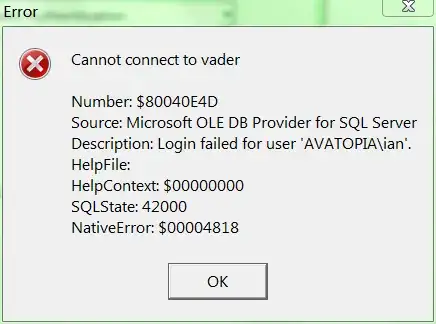
Note: It's not limited to SQL Server Management Studio, standalone applications that connect using Windows authentication:

enter image description here

fail:

enter image description here

Note: It's not a client problem, as we can connect fine to other (non-SQL Server 2008 R2 machines):
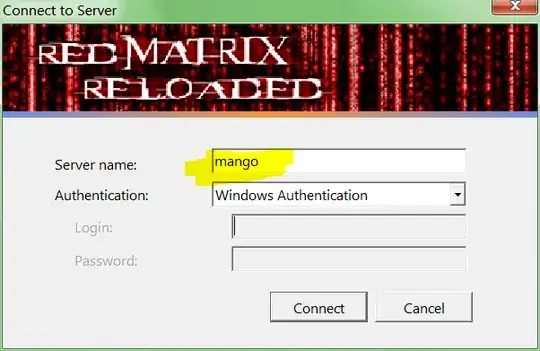
enter image description here

i'm sure there's a technote or knowledge base article describing why SQL Server 2008 R2 is broken by default, but i can't find it.

Update 2

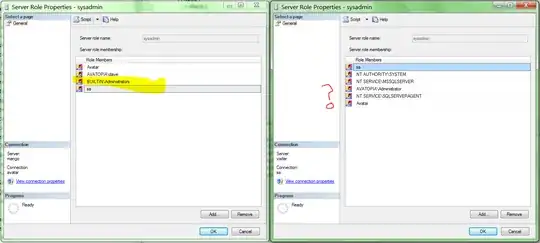
Matt figure out the change that Microsoft made so that SQL Server 2008 R2 is broken by default:

Administrators are no longer administrators
enter image description here

All that remains is to figure out how to make Administrators administrators.

One of these days i'm going to start a list of changes around Microsoft's "broken by default" initiative.

Steps to reproduce the problem

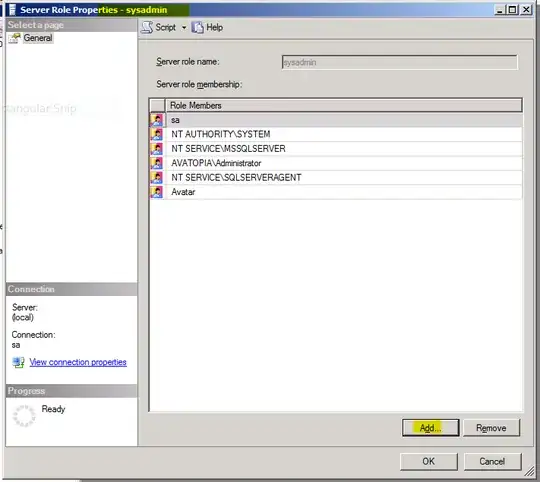
How do i add a group to the sysadmin fixed server role? Here's the steps i try, that don't work:

  1. Click Add:

    enter image description here

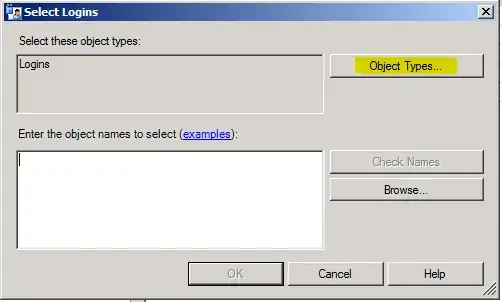
  2. Click Object Types:

    enter image description here

  3. Ensure that you have no ability to add groups:

    enter image description here

    and click OK.

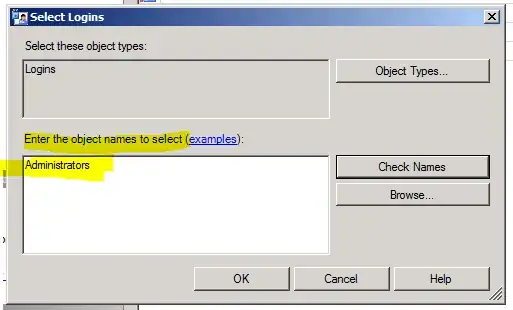
  4. Under Enter the object names to select, enter Administrators:
    enter image description here

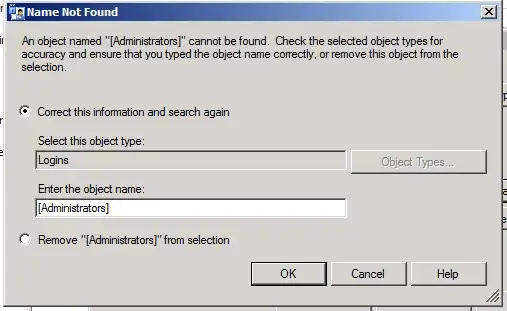
  5. Click Check Names, and ensure that you are not allowed to add groups:
    enter image description here

    and click Cancel.

  6. Click Browse..., and ensure that you have no ability to add groups:
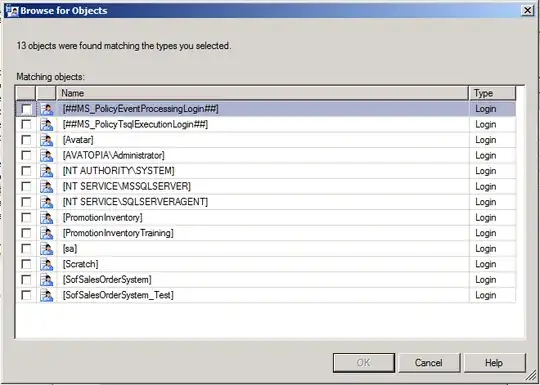
    enter image description here

You should now still not have added any group to the sysadmin role.

Additional information

  • SQL Server Management Studio is being run as an administrator:
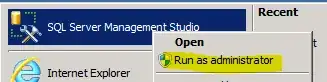
    enter image description here

  • SQL Server is set to use Windows Authentication:
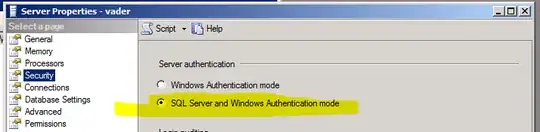
    enter image description here

  • tried while logged into SQL with both sa and the only other sysadmin domain account (screenshot can be supplied for those who don't believe)

Ian Boyd
  • 5,453

5 Answers5

4

As Matt has stated the Windows login you are using has not been setup and you will need to add it with a login that is a member of the sysadmin fixed server role.

You do not need to be a member of the sysadmin fixed server role to simply connect to your SQL Server 2008 R2 instance.

BTW, during the R2 install, one is able to specify login(s) that need to be added to the sysadmin fixed server role.

UPDATE - How to enable the adding of groups in SQL Server security How to add a Windows group in SQL Server

After including groups, you can find them (if they exist) using the Check Names in the Select User or Group pop-up.

jl.
  • 1,076
3

@squillman provided the solution in a separate question.

This is a known issue with SQL Server 2008, and future products. The fix is to run:

CREATE LOGIN [BUILTIN\Administrators] FROM WINDOWS
go
sp_addsrvrolemember
      @LogiName='BUILTIN\Administrators',
      @RoleName='sysadmin'

The important point being that cannot add a "group" to a server role directly. You have to add a "login" for that "group". Then you can add that "login":

e.g. Fails:

BUILTIN\Administrators -> sysadmin

Works:

BUILTIN\Administrators -> BUILTIN\Administrators -> sysadmin

Ian Boyd
  • 5,453
1
  • Is the SQL server on a different domain to your PC
  • Have you added your user as a sysadmin role?

(To do this login to the server as sa - go to security - add the domain user if it doesn't exist - open the properties on the user - goto server roles and select sysadmin)

Should be able to login then.

Matt
  • 145
0

If your instance is called SQLEXPRESS, then you need to use .\SQLEXPRESS or (local)\SQLEXPRESS or yourMachineName\SQLEXPRESS as your server name - if you have a named instance, you need to specify that name of the instance in your server name.

raj
  • 11
-1

Run this query after logging in sa mode..

CREATE LOGIN [your current pc name\UserName] FROM WINDOWS WITH DEFAULT_DATABASE=[master], DEFAULT_LANGUAGE=[us_english] GO

It worked for me in all cases..