Just wondering in case something happens and I need to wipe all my data right away. I don't care if the drive is unusable after wipe.
Asked
Active
Viewed 1,100 times

12 Answers

5
Get a commercial degausser, a sledgehammer, and a gun. Use them on the drive in any order.
Short of an extremely powerful degaussing, there is no instant method to immediately erase all data from a drive.
If you're looking for a software related solution, you're out of luck. It would have to write junk data to each sector many times over to have the desired effect, which takes time.

MDMarra
- 101,323
4
Use full disk encryption. If there is a key at a certain part of the drive that is needed to read the rest, all you should need to do is get that scrambled. Make sure there isn't a copy in the ram of the system somewhere.

becomingwisest
- 3,358
3
Thermite. Degausser. Those are as instant as you can get, I suppose. Degausser won't burn your house down.
Some acids might work as well, or at least no one would touch it until the acid works.
Might I suggest that unless you have some great rube-goldberg-esque alarms to trigger this reaction using something like full-disk encryption?

Bart Silverstrim
- 31,296
3
This:
http://www.youtube.com/watch?v=yd_O7-rqcHc
Every home should have one.
Realistically, every bit on your platters is recoverable. A single, full-pass write of the disk is the only way, and even then it's still possible to get something off it (but it's very hard). Destroying the disk by buckling or smashing the platters is the fastest way. there's till ways, but it's the kind of stuff only decent sized governments can be bothered with.
You could perhaps try to overwrite the first block of each file and then overwrite the filesystem, which should put it beyond a cursory recovery job, but not anyone more determined.
Ask yourself: What is it worth to my enemies to get hold of what's on this disk?", and take the appropriate measures.

SmallClanger
- 9,312
2
Or you could just avoid illegal activities. Then when the gub'mint comes and takes your computer, they won't find any incriminating data.
But if you must surf nefarious sites, do so using a diskless laptop booting off of a live cd, connected to the free wifi at the nearest burger joint or coffee shop.
For data storage, use the cloud, logging in with a user account that you NEVER use from a computer with writeable media.
That said, the contents of RAM may still be recoverable. You'll also need a means of ensuring that data is rendered inaccessible, as well.

Jonathan J
- 584
2
Conventional hard drive (spinning discs)
I believe the fastest and surest way is a hard drive degausser. This will demagnetize the hard drive platters. The drive won't work afterwards because some data on the platter isn't meant to be erased and this method is likely to damage some of the hard drive mechanisms. The degausser itself costs close to $10k. Weaker degaussers intended for tape erasure won't work on hard drives.
Second fastest is probably a hard drive shredder. This is a special piece of grinding equipment that you feed a hard drive in one side and get a pile of metal shavings out the other side. I couldn't easily find pricing, but I assume it's expensive since it's usually sold as a service not a device. This has the advantage of verifiability over a degaussing solution (you can tell whether or not it worked), but is much messier.
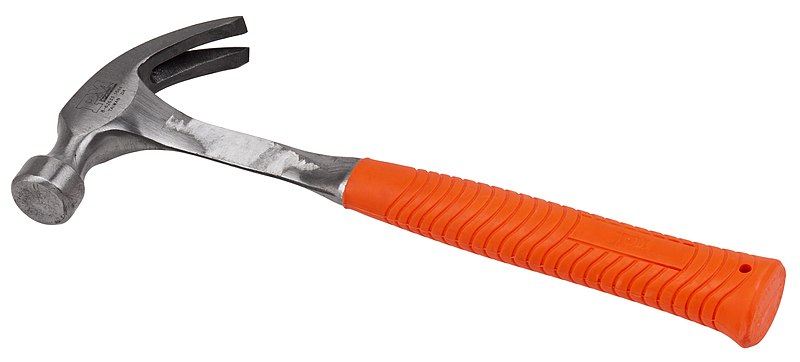
Anything that bends or breaks the platters will render the data unreadable to all but the most sophisticated (a G8 government that views your information as worth millions). A big hammer would probably do the trick, especially if you open up the drive so that you're hitting the platters and not just the casing. An industrial press should do it, too. There's commercial versions specifically made for hard drives.
You could open the drive up in a few minutes and apply a belt sander to both sides of all the platters. Removing the shiny stuff from the platters removes and randomizes the data so that nobody can get it back.
If the drive still works, overwriting the entire drive with a single pass of zeros, ones, or random data is sufficient as long as you don't have data worth millions to a major (G8) government. Depending on drive size and speed, this could take hours.
Solid State (SSD)
If it's a solid state drive, you need to destroy all the chips.
If doing it in software, you have to use special secure erase commands. Simply overwriting as with a disc drive won't work.
Preparing for next time
If this is a common need for you, consider using full-drive encryption so that you only have to erase a key, not a whole drive.

freiheit
- 14,844
1
Drill a hole into it.
This I've been told by someone who works for a company that is specialized in destroying data.

StackedCrooked
- 1,205

0
I believe a faster way (assuming SSD) than any yet mentioned is to check your motherboard and bios for support for the ATA secure-erase feature and then make a bootable thumb drive which makes the appropriate hdparm() calls.
Please note I have not yet tried this, and all of the information I am saying is from feedback to a question I asked on askubuntu, but comments there suggest it would be faster than even a hammer. I have never tried any of this, and it CAN PERMANENTLY DAMAGE HARDWARE... I hear.
Reference: https://askubuntu.com/questions/81245/how-to-use-secure-erase-and-is-it-on-the-install-cd


0
I don't have a reference, but I did read a (public) government white paper, FBI?, about this question once.
It concluded that it would be sufficient to burn the drive in a fire hot enough to melt all the individual components, but that no lesser method is completely reliable. (Including smashing with hammers, I assume).

psr
- 101
0
I remember a director of a firm I used to work at insisting I ensured no one could read data off a drive that died in his laptop - I normally used DBAN but this drive wouldn't spin up. I just took it apart in front of him and shattered the platters with my fingers.
Note: slightly easier with laptop drives.

Robin Gill
- 2,503