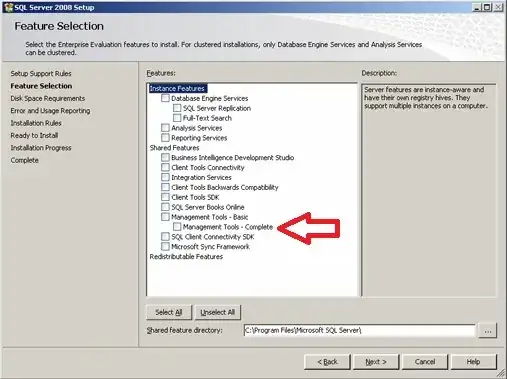
I need to set up a standby server using SQL Server Log Shipping. This is my first time doing this, so I'm following the instructions in the SQL Help step by step. Of course, I ran into a problem at the first step. The help file says:
- Right click the database you want to use as your primary database in the log shipping configuration, and then click Properties.
- Under Select a page, click Transaction Log Shipping.
I do not see a menu entry for Transaction Log Shipping. Here's what I see:
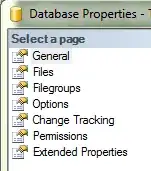
So why am I not being offered this option?