39

My website gets thousands of hits daily from different IPs trying to access:

/php-myadmin/
/myadmin/
/mysql/

...and thousands of other variations. None of these directories exist, I don't even have phpmyadmin on my server.

I don't think any of these attempts have been successful, however they must be taking their toll on the server's resources and wasting bandwidth, so I would like to stop them if possible. I've blocked a handful of these IPs but they keep coming back with fresh IPs, is there any way I can prevent this more permanently?

masegaloeh
  • 18,498
amba88
  • 513

7 Answers7

40

Don't worry about it. Serving a 404 is a tiny, tiny, tiny amount of work for a web server to do. You could probably serve ten 404's a second using a 486. The bandwidth per 404 is negligible; a tiny GET request and a tiny 404 response.

Seriously; don't worry about it. This is just part and parcel of running a server on the internet.

37

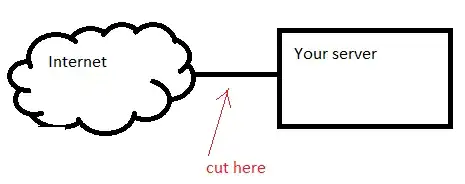
Unfortunately for You this is how Internet works. Just ignore it. Thousands of bots/trojans scan the Internet. Source IP will be always random. There is no cure.

The only 100% solution for eliminating that traffic is illustrated below: enter image description here

An alternative is:
- to move with https/http from port 80/443 to something else. Bots usually don't look for http server on all other 65k ports.
- use VPN to connect to the server (I guess this not possible if You host a public website).

32

What you want is Fail2ban (assuming this is a linux machine, you didn't say...)

What is Fail2ban?

Fail2ban will parse system logs, looking for particular regular expressions to block. When it finds a match (or several matches from the same IP, depending on how you configure it), it will block, typically through IPTables. Typically this is used to block failed authentication attempts against SSH or web servers.

You configure it to ban them for a set amount of time (could be minutes, could be days...depends on how persistent they are), after which the ban will expire, unless they try again.

How does this help block phpmyadmin scanning bots?

It can just as easily be used to match common signs of an attack, like trying to access non-existent phpmyadmin folders. You will have to figure out the correct regular expression to match such attempts, and ensure you don't block legitimate users.

The configuration given in this blog post may work verbatium or require some tweaking for your setup.

Why should I block them? The 404 errors don't cost much

Blocking them in iptables DOES have some use - odds are if they are checking for phpmyadmin vulnerabilities, they may try other services for vulnerabilities as well, until they hit something that works. Banning them will make most bots/scripts give up after awhile, and they'll move on to better targets.

Even through the scans don't cost much (unless they actually find a vulnerability), they do flood your logs making it harder to see successful attacks and problems with your web server.

As the comment below says, Fail2ban does require some system resources. But not much. At the very least I can say I've never had a performance problem I could attribute to Fail2ban. I have however had performance problems from very aggressive scripts trying to brute force passwords or throwing thousands of SQL injection attempts and other exploits per second at my server. Blocking them at the firewall level takes FAR fewer resources than blocking them at the server/application level. It can also be extended to run custom scripts to ban IP addresses - so instead of banning them in IPtables, you could possibly have it ban them in a hardware firewall, or email someone if the same person keeps trying to attack you so you can complain to their ISP or have your datacenter block them on their firewalls.

Any other tips?

It is HIGHLY RECOMMENDED that you whitelist a few IP addresses that you control so you don't accidentally lock yourself out.

Grant
  • 18,125
  • 14
  • 75
  • 104
8

What I do is putting a small script into the appropriate directory, so it runs if someone accesses /phpmyadmin/ . That script does nothing else but invoke iptables (under Linux), which blocks the IP address accessing the script for 30 minutes (after which a cron-job flushes the iptables chain the IP address gets added to).

The advantage over fail2ban is that you don't use any resources for parsing the syslog/access-log. The disadvantage, of course, is that you don't check for anything else, except accessing this very specific address.

Why do I do this? Sure, serving a 404 would be easy for the server, but I don't want them poking around, simple as that. I want to waste their tool's time, waiting for the server to reply, retrying until it finally gives up. In addition, if you do not block them, they'll try a lot of different URLs before finally moving on - sometimes over a thousand. Depending on the tool, it might be "nice" and space those out over a few hours, or it might just not care and pound your server with all of them within minutes.

Why don't I serve a valid page? Their tool might stop scanning you and alert the skiddie that's running it - who then has to check out the manually. The flipside of this is that they will give your server a much closer look than they would have, if their scan didn't make you turn up in their results. Maybe they'll poke around a bit more, maybe a few port scans, maybe you get them mad, and they launch a DoS to see if they can do anything. Simply blocking them - which from their point of view makes the server time out the moment they access the phpmyadmin script - is effective wasting their tool's time, while avoiding unwanted attention.

If you DO have phpMyAdmin on the server, an effective solution may be putting it in a separate directory, and use your web-server's password control (.htpasswd for Apache) to block access before anything ever reaches it.

Aaa
  • 261
1

FWIW we restrict access to /phpmyadmin/ to whitelisted IP Addresses only.

We also use mod_evasive (on apache2) to deter DOS / poorly behaved scripted attacks.

1

bind the mysql admin tool to your machine loopback address 127.0.0.1

then use ssh with port forwarding to access your admin back end.

add an extra layer of security which can be quite transparent.

The Unix Janitor
  • 2,558
  • 15
  • 13
-4

The best way we've found is to password protect the folder that phpmyadmin is in. Also, don't use anything that relates to phpmyadmin as a folder name: pma, phpmy, etc...