With Hyper-V on a host machine, what are the upper limitations of the virtualization? 1 VM per proc? What about memory and networking utilization? Do the upper bounds change when choosing Full vs. Server Core as the host machine? If anyone can point me to the official documentation on physical and practical limitations I would be very grateful, I couldn't find any with my searching but I'm guessing it's got to be out there.
Asked
Active
Viewed 654 times

3 Answers
2
Well, there's a FAQ with some details, including: "Hyper-V Server supports systems with up to 4 processors with 1, 2 or 4 cores." "Hyper-V Server supports up to 32 GB of physical memory." etc
There's also an interesting point here regarding licensing differences when choosing between Standard & Enterprise.
I don't believe you lose any functionality with Full vs. Core - but definitely with Standard vs. Enterprise vs. Datacenter. For example, Enterprise is the minimum version you'll need to support live migration (VM move between HyperV servers without downtime) - with R2.


Kara Marfia
- 7,882
1
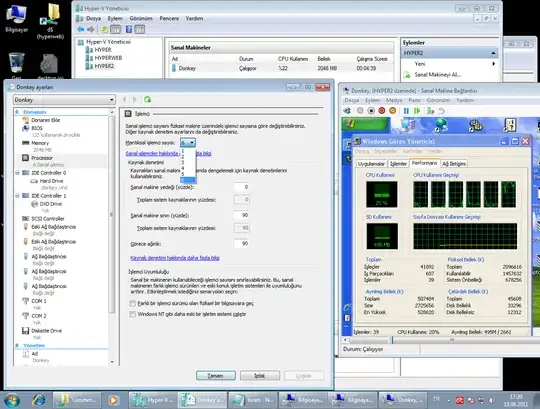
About 4 CPU core limit:
In VM's config file section:
[processors]
[count type=”integer”]8[/count]
Now you have 8 core CPU.
What others say:
To verify my results I ran NuclearMC on a VM with 1 core, 4 cores, and 8 cores dedicated to the virtual machine.
1 core 4 cores 8 cores
Fibonachi 5875 23392 46075
Factorial 4177 19714 37091
Ferma 4132 16791 34300
Sort 2582 12277 25434
Hyperbolic 3533 12081 16405
Digit e 3896 10147 14348
Picture Morph 3305 8653 12508
Prime 3583 13896 28276

Nime Cloud
- 476
0
The only hard limit I've seen is that you can't allocate more RAM to VMs than you have physical RAM available. With CPU (if you don't allot minimum CPU usage for a VM) and network, it's a question of what performance is acceptable.

dmo
- 2,100