-2

Today I installed a second CPU in our HP ProLiant DL380e Gen8, and after booting the fans all went to 99.96%. This causes the server to make an enormous amount of noise.

Could it damage the server? What could I do to fix this? I already removed all the fans and put them back in, rebooted the entire server,...

I'm running HP_ESXi-5.1.0, CPU is twice Intel Xeon E5-2420 0 @ 1.90 GHz.

This is the current memory configuration: enter image description here

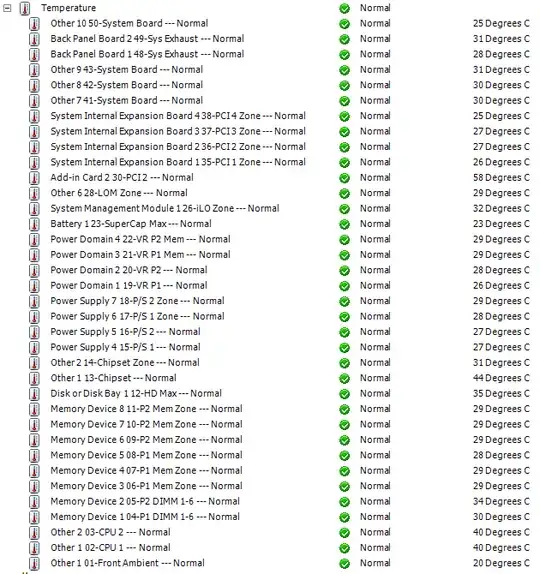
(before - after). Temperatures:

enter image description here

ewwhite
  • 201,205

2 Answers2

6

Things to check in the absence of better information:

Edit:

Your version of ESXi 5.1 is build 799733 and predates the hardware you're using. Update your ESXi, install the HP drivers if not there and make sure your system BIOS is current.

ewwhite
  • 201,205
0

After upgrading all the software, the fans kept blowing 99%. However I suddenly noted a warning during boot time that fan 1 was missing - I switched fan 6 to slot 1 and the issue is now resolved.