As a preface, no this doesn't have to do with Remote Desktop's Redirected printers at all.
I've deployed an HP printer (called \Manager\Picasso) under User Configuration in a Group Policy object. This is fine, works great, I can print ok.
The problem is that the printer is physically showing up twice, despite being listed only once in the policy.
According to HKCU\Printers\Connections in the registry, it's supposed to only be there once as well.
Everything about these two printers (which is really just one) is identical, with the exception that one claims its' location to be Spooler Internal and the other to be \Users\S-1-5-21-2824181156-3210474303-1020481702-500\Printers\^\^\manager^\Picasso as shown below (viewed by displaying the object properties in Devices and Printers):
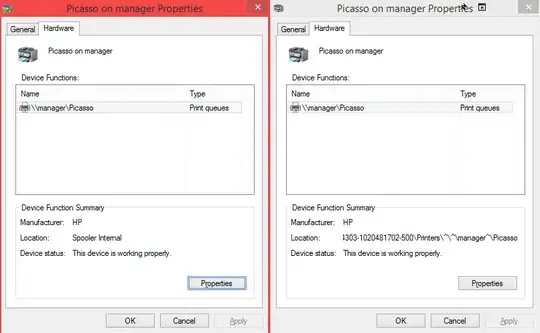
My only guess is somehow this particular printer may be configured differently than the rest? It seems that this one gets duplicated because it has some sort of special queue or something.

