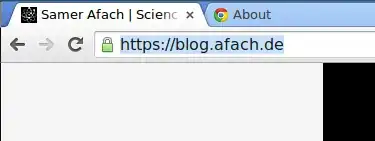
My website, here, is on my server (Debian Wheezy, Apache 2.4.10 on the testing repos). I configured Apache myself and blocked all attackable ciphers after reading many websites discussing those problems, and I have to say, this is not my specialty, as I'm a physicist. So please excuse my ignorance if I do something obviously wrong.
My cipher configuration in Apache is this:
SSLProtocol all -SSLv2 -SSLv3
SSLCompression off
SSLCipherSuite AES128+EECDH:AES128+EDH
And I tried an alternative explicit cipher config, which also gave the same problem:
SSLCipherSuite "EECDH+ECDSA+AESGCM EECDH+aRSA+AESGCM EECDH+ECDSA+SHA384 EECDH+ECDSA+SHA256 ECDH+aRSA+SHA384 EECDH+aRSA+SHA256 EECDH+aRSA+RC4 EECDH EDH+aRSA !RC4 !aNULL !eNULL !LOW !3DES !MD5 !EXP !PSK !SRP !DSS -RC4"
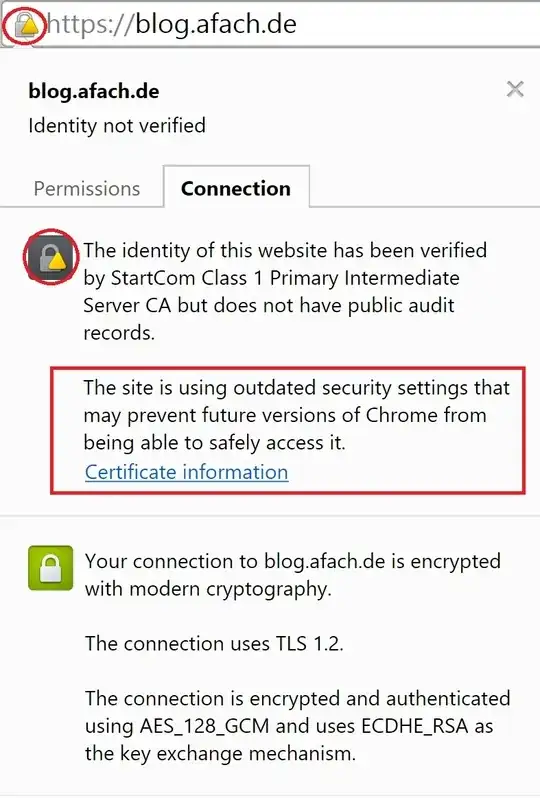
So the problem is that Google Chrome (Version 42.0.2311.90 m) is giving an exclamation triangle when I open my website:
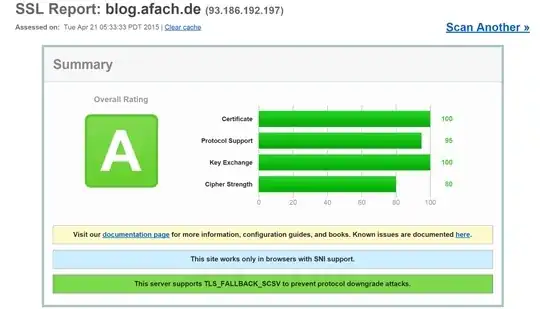
On the other hand, in SSLLabs, I get a very good ranking with no comments (though an explanation for the cipher 80% would be nice. What should I do to get a 90+%?)
So my question is: How can I get google chrome (and probably other browsers) to stop complaining with that triangle?
If you require any additional information, please ask.