I'm trying to accomplish something that's a bit outside of my comfort area, and after asking around and googling without success I thought I'd try here.
I'm trying to import a Linux VirtualBox VM into AWS. The issue is that the AWS import routine doesn’t like Oracle Enterprise/Unbreakable Linux (which the VirtualBox images that I'm in receipt of are built on). According to a blog post there are 4 supported distributions and Oracle Linux isn’t one of them (however RedHat, which Oracle Linux is based upon, is on the list). I am hopeful that swapping to RedHat would solve the issue.
I’ve found a blog post showing how to swap the kernel in the grub bootloader (this is their picture, not mine):
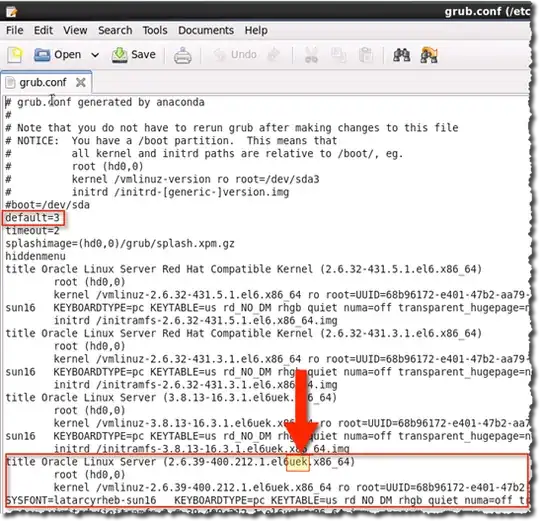
However I’m straying outside of my area of expertise here. I can vi the file, however (unlike the image above) the only listing is Oracle Linux, there are no entries for Red Hat etc. that I can swap to.
The question that I need a bit of help with is how do I get extra entries into grub.conf? I’m assuming that I need to load the RedHat kernel and then point to it here. Is that right?
Thanks for any help

