what is the name of the program that allows you to switch between servers (using Remote Desktop Connection) with a mouse click?
The program had a list of servers on the left pane and the main pane was the actual server connection.
Thanks in advanced
what is the name of the program that allows you to switch between servers (using Remote Desktop Connection) with a mouse click?
The program had a list of servers on the left pane and the main pane was the actual server connection.
Thanks in advanced

Late to the party, but so is this option: Microsoft's own RDCMan (Remote Desktop Connection Manager) is a huge upgrade to their old MMC snap-in.
http://www.microsoft.com/download/en/details.aspx?id=21101
Highly recommended.
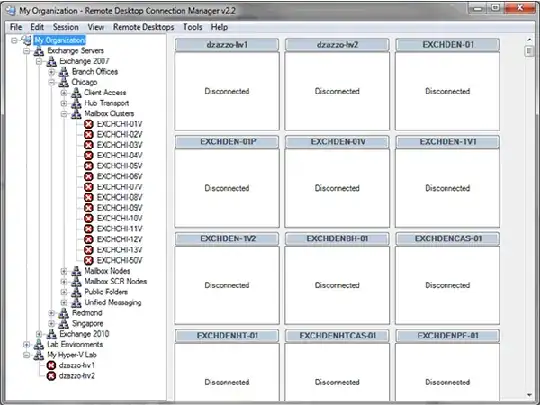
Image from Introducing Remote Desktop Connection Manager (RDCMan).
You're talking about the Remote Desktops MMC snapin

(source: qainsight.net)


For Windows machines:

The item you need is in the Windows Server 2003 Administration Tools Pack
If you install it I think you'll find what you need.


