Whenever I try to boot from a USB stick I get the Red Screen Of Death. I've tried to load VMWare, Windows and Linux from a bootable USB but nothing.
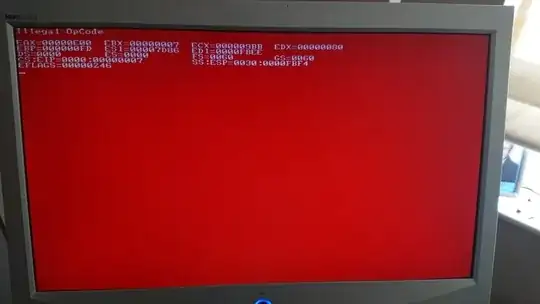
Whenever I try to boot from a USB stick I get the Red Screen Of Death. I've tried to load VMWare, Windows and Linux from a bootable USB but nothing.


Reboot again. (cold Boot) Press F9 to enter the RBSU Check, if the „USB Boot Support“ is enabled. If not, enable it. Go to „System Options“ > „USB Options“ > „Removable Flash Media Boot Sequence“ and select the proper boot device there. Then select “Standard Boot Order” (IPL) and choose to start from “USB Drive Key (C:)” first.
In Reference to https://seiler.it/red-screen-death-illegal-opcode-error/

I had to replace the CMOS Battery of my HP ProLiant MicroServer Gen8 - I spent all day yesterday trying all kinds of stuff but then today I remembered someone mentioning the CMOS Battery.
Changed it, plugged the power in and suddenly Windows can install!
