4

I've been trying to create a grid system that can use any grid size and start at any given anchor point rather than always at 0,0.

The problem however is imprecision makes it impossible, even the simplest imprecision and i can't get it to work, yet i've seen people manage to create local grid systems... so how are they doing it?

This is how i have it setup...

I define a bounds with a minimum point and a maximum point:

    public Span2D(Vector2 center, Vector2 size)
    {
        MinX = center.x - size.x;
        MaxX = center.x + size.x;
        MinY = center.y - size.y;
        MaxY = center.y + size.y;
    }

This has two properties that help me know the dimensions:

    public float Width => Mathf.Abs(MaxX - MinX);
    public float Length => Mathf.Abs(MaxY - MinY);

Now i want to draw grids of a grid size within this boundary starting at the Min point going to the Max point.

    //grid size is some float 
    for (int i = 0; i < _span2D.Width / _gridSize; i++)
    {
        for (int j = 0; j < _span2D.Length / _gridSize; j++)
        {                
            Grid3D grid = new Grid3D(i, 0, j, _gridSize);
            // gets the mid point of the grid tile
            var center = _span2D.SnapPlaneCenter(grid); 
            Gizmos.DrawWireCube(center, new Vector3(_gridSize, 0, _gridSize));
        }
    }

Now when i move the center point to some arbitrary world point, i get this problem:
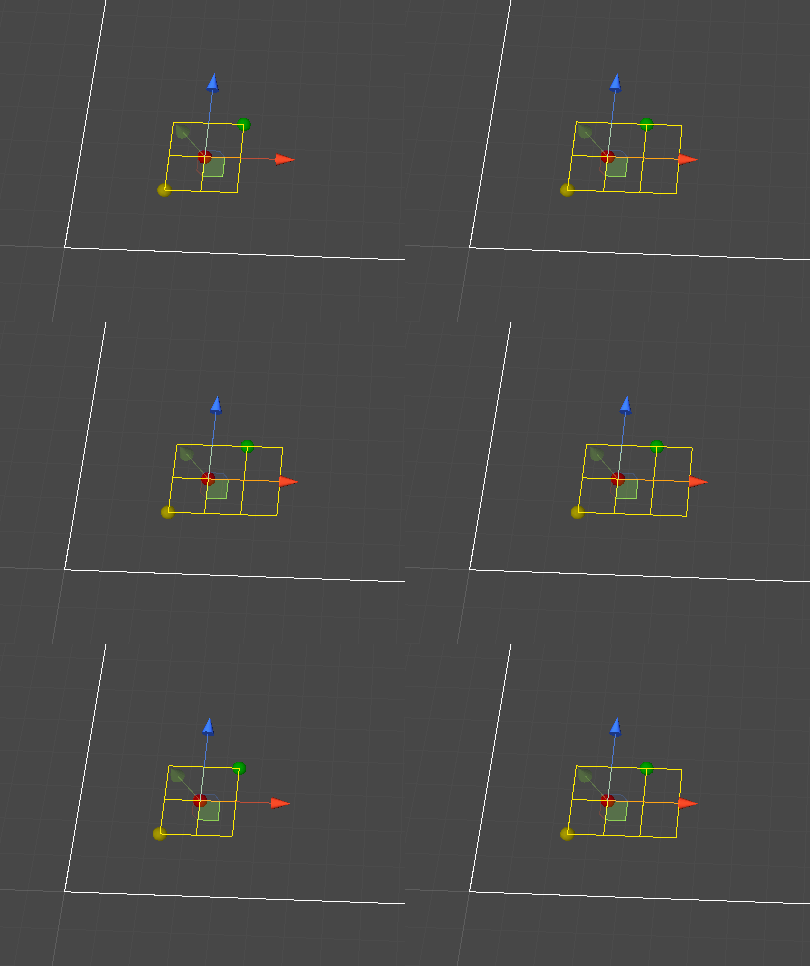
enter image description here

For this image the extra tiles appear when the center point is this value ( there are other numbers that cause it):

Bounds Span : 2f by 2f 
Grid Size : 1f by 1f
Center point : 3.97f , 2.7f  (the red dot)

Notice my for loop now runs one extra time some times, i have tried casting and flooring to int, both don't fix the problem, and thats because float imprecision is the cause, for example i've had 2.000000000f cast to int as 1.. so it still didn't work if i cast the result of the division because it would be off by 1 in my for loops, see here:

enter image description here

When casting to int i get one less tile:
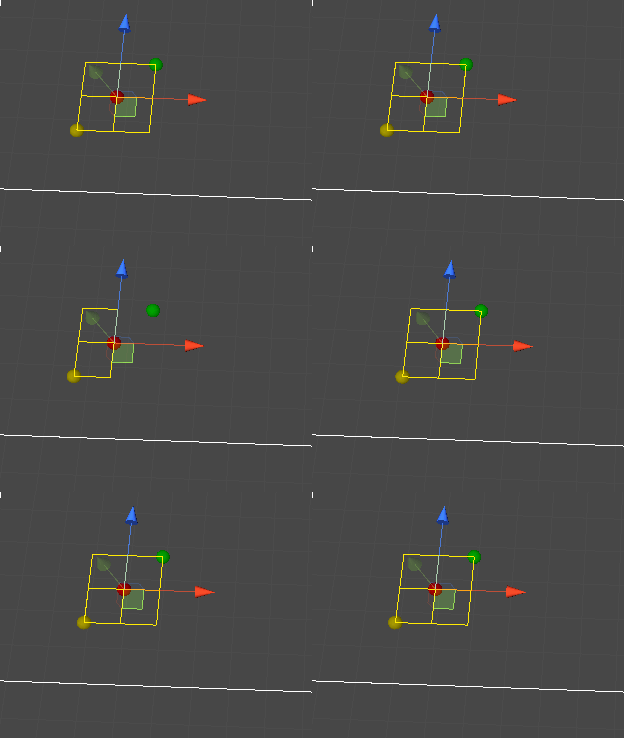
enter image description here

But i've seen plenty of applications use grid positions based on some local reference point, there must be some trick to get this to work properly that i am not aware of with floats... does any one know?

WDUK
  • 2,092
  • 3
  • 16
  • 24

3 Answers3

2

The approach I use with floats in general is not to assume they're ever an integer value, even if that's what they would be mathematically. And also to test with distinctly non-integer values.

Where this goes wrong in your particular example is comparing i to _span2D.Width / _gridSize. If the latter yields, say, 2.0001, the loop will run three times, producing the result you're seeing.

More generally, assume that width / gridSize yielded 2.5 - would it be correct to simply draw a 2x2 grid with the same origin, or should it be shifted to be centered within the given Span?

If the former, then something like this should work:

int columns = Mathf.FloorToInt(_span2D.Width / _gridSize + Mathf.Epsilon)

In the latter case, you'd want to also calculate the offset:

float xOffset = (_span2D.Width - (columns * _gridSize)) / 2f;
Errorsatz
  • 776
-1

The "cheating" approach:
Store the result of this calculation somewhere and to avoid recomputing it during translation operations.

The re-framing approach:
Currently, you are storing two coordinates and then deriving a Length and Width vector. This causes the rounded size to vary due to rounding errors.

If you instead store one coordinate and separately store Length/Width, this problem is shifted: Moving the shape will cause edge coordinate to vary slightly due to rounding errors. However, the latter is not nearly as user-visible. Such errors don't cause the edges to shake/flash, but will cause the edges to be out of sync, causing the visual width of the component to vary by 1 pixel.

Finally, you can resolve the issue described above by rounding the coordinates and the width/length to integers (i.e., to pixel coordinates) before adding them together.

This approach does make questions like, "are these two rectangles touching, but not overlapping, along an edge?") difficult to answer.

Brian
  • 4,553
-1

The obvious one: Why are you using float instead of double? My rule is that you should use double unless you can give a good reason why you would do otherwise. For example, if MaxX = 12,007,539.21 and MinX = 12,007,537.21 then using float instead of double can create significant rounding errors.

The other problem, independent of the precision, is what happens when a value is roughly equal to an integer. In the example above, MaxX - MinX should be approximately 2.0, but it could be a little bit smaller, or a little bit larger. floor (MaxX - MinX) may produce 1 or 2. ceil (MaxX - MinX) may produce 2 or 3. round (MaxX - MinX) will produce 2, unless the rounding error is at least 0.5.

gnasher729
  • 49,096