I'm having a problem connecting using my dedicated admin connection in SQL Server 2014. I just wanted to test it out.
I have DAC enabled in sp_configure. I have performed RECONFIGURE.
I have prefixed my connection string with ADMIN: in SSMS Connect To Server box.
I have not put a space between ADMIN: and the server name. The server name works just fine so long as I don't prefix it with ADMIN:
I am not trying to connect to object Explorer. I am attempting connection when I open a new query window.
I am using Windows Authentication, which works fine when not prefixing ADMIN: to the server name.
Its not a firewall issue, as I've tried it with the firewall turned off.
Having checked the SQL Server error log it says "dedicated admin connection support was established for listening remotely on port 1434". Does that mean it is connected? If so, why did I get the error below?
I've verified TCP port connectivity with the Powershell script mentioned by Dan Guzman, and it works fine. Powershell returns the message "server listening on TCP port 1434"
I am getting the following error: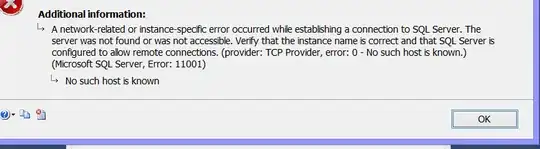
A network-related or instance-specific error occurred while establishing a connection to SQL Server. The server was not found or was not accessible. Verify that the instance name is correct and that SQL Server is configured to allow remote connections. (provider: TCP Provider, error: 0 - No such host is known.) (Microsoft SQL Server, Error: 11001)
No such host is known
Your help would be appreciated.


